Facebook Page Insights to BigQuery

Export Facebook Page Insights to BigQuery

Connect Facebook Page Insights to BigQuery with Coupler.io for warehouse-scale social media analysis. Enable SQL-driven performance queries across posts, reels, and follower trends while combining page metrics with cross-channel marketing data for deeper audience intelligence.

πŸ† Voted 4.9/5 on Capterra πŸ”’ SOC2 & GDPR compliant 🌍 Trusted by 1M+ users worldwide

What data you can export from Facebook Page Insights?

... and many more

All-in-one tool for Facebook Page Insights data exports and analytics

Load Facebook Page Insights data into BigQuery alongside metrics from Instagram, LinkedIn, and other social platforms. Run cross-channel queries that unify audience behavior, engagement patterns, and content performance into a single analytical environment.

Collect data from Facebook Page Insights and enrich it with information from other sources image

Structure page metrics with optimized schemas, partitioning by date ranges, and clustering by content type. Prepare datasets specifically designed for high-performance SQL queries on engagement trends, follower demographics, and post-level analytics.

Organize raw Facebook Page Insights data in the form of a ready-to-use data set image

Keep BigQuery tables synchronized with your Facebook Page activity through automated pipelines running at 15-minute, 30-minute, hourly, daily, or monthly intervals. Support both near-real-time monitoring and periodic batch analysis workflows.

Automate data refresh on a custom schedule image

Leverage Coupler.io AI integrations to discuss your Facebook Page performance data with AI tools. Gain audience insights and content recommendations through natural language without writing complex SQL queries.

Connect Facebook Page Insights data to AI to query and analyze data using natural language conversations image
Collect data from Facebook Page Insights and enrich it with information from other sources image
Organize raw Facebook Page Insights data in the form of a ready-to-use data set image
Automate data refresh on a custom schedule image
Connect Facebook Page Insights data to AI to query and analyze data using natural language conversations image

Why export Facebook Page Insights to BigQuery - real life cases

Cross-platform social media benchmarking icon

Cross-platform social media benchmarking

Warehouse Facebook Page metrics alongside Instagram, YouTube, and LinkedIn data in BigQuery to run comparative performance queries. Identify which platforms drive the strongest engagement, analyze audience overlap across channels, and allocate content resources based on data-backed cross-platform ROI analysis.
Historical content performance modeling icon

Historical content performance modeling

Store years of post, reel, and video performance data in BigQuery for long-term trend analysis and predictive content modeling. Apply statistical functions to identify seasonal engagement patterns, determine optimal publishing windows, and forecast future content performance based on historical audience behavior.
Audience growth and retention analytics icon

Audience growth and retention analytics

Build granular follower tracking pipelines in BigQuery to analyze daily snapshot data alongside engagement metrics. Detect growth inflection points, correlate follower changes with specific content campaigns, and segment audience behavior patterns for targeted content strategy development.
Multi-page portfolio reporting icon

Multi-page portfolio reporting

Consolidate performance data from multiple Facebook Pages into BigQuery for centralized brand portfolio analysis. Compare page-level metrics at scale, standardize KPI definitions across business units, and generate automated executive summaries covering all managed social properties.

How to export Facebook Page Insights to BigQuery

Step 1. Connect to your Facebook Page Insights account and select the data to export
time icon 30 seconds
Step 2. Organize data using transformation options such as filters, column management, aggregation, etc.
time icon 30 seconds
Step 3. Connect your BigQuery project and specify where to load your data
time icon 30 seconds
Step 4. Schedule data refresh to automate data flow from Facebook Page Insights to BigQuery
time icon 10 seconds

Automate data exports with the no-code Facebook Page Insights BigQuery integration

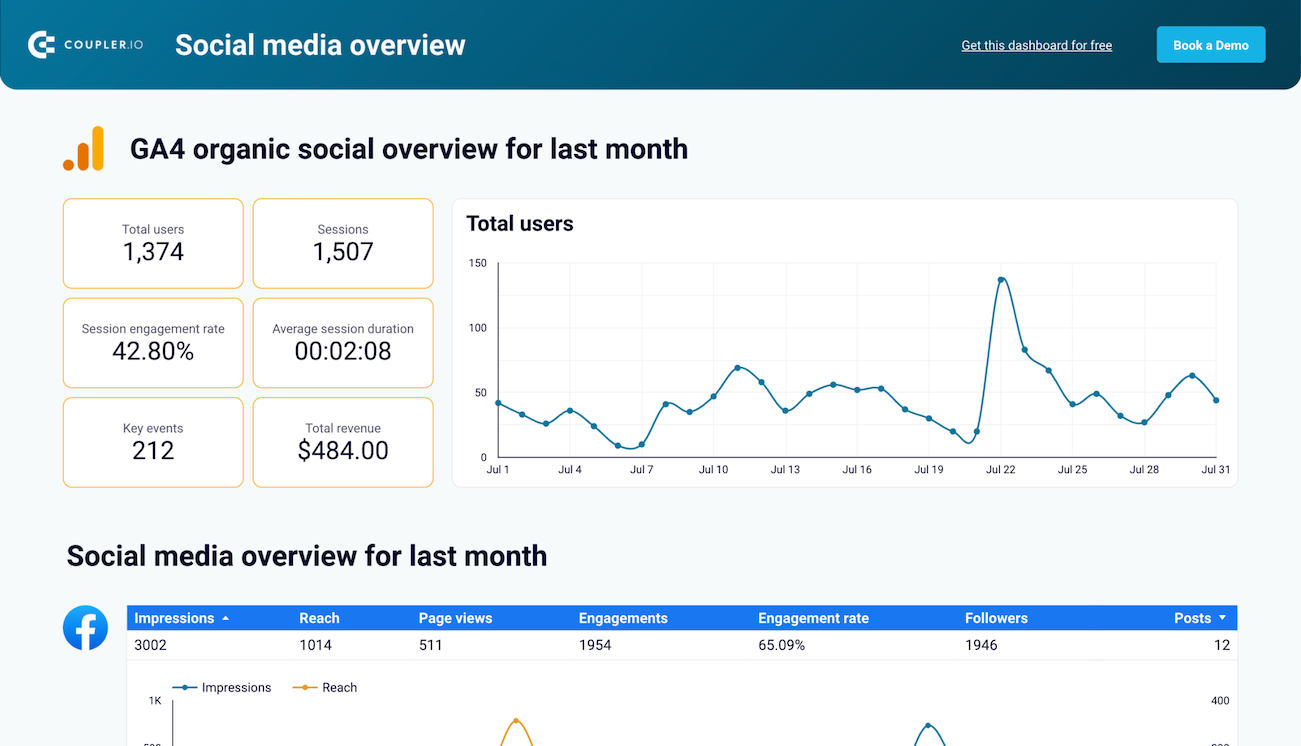
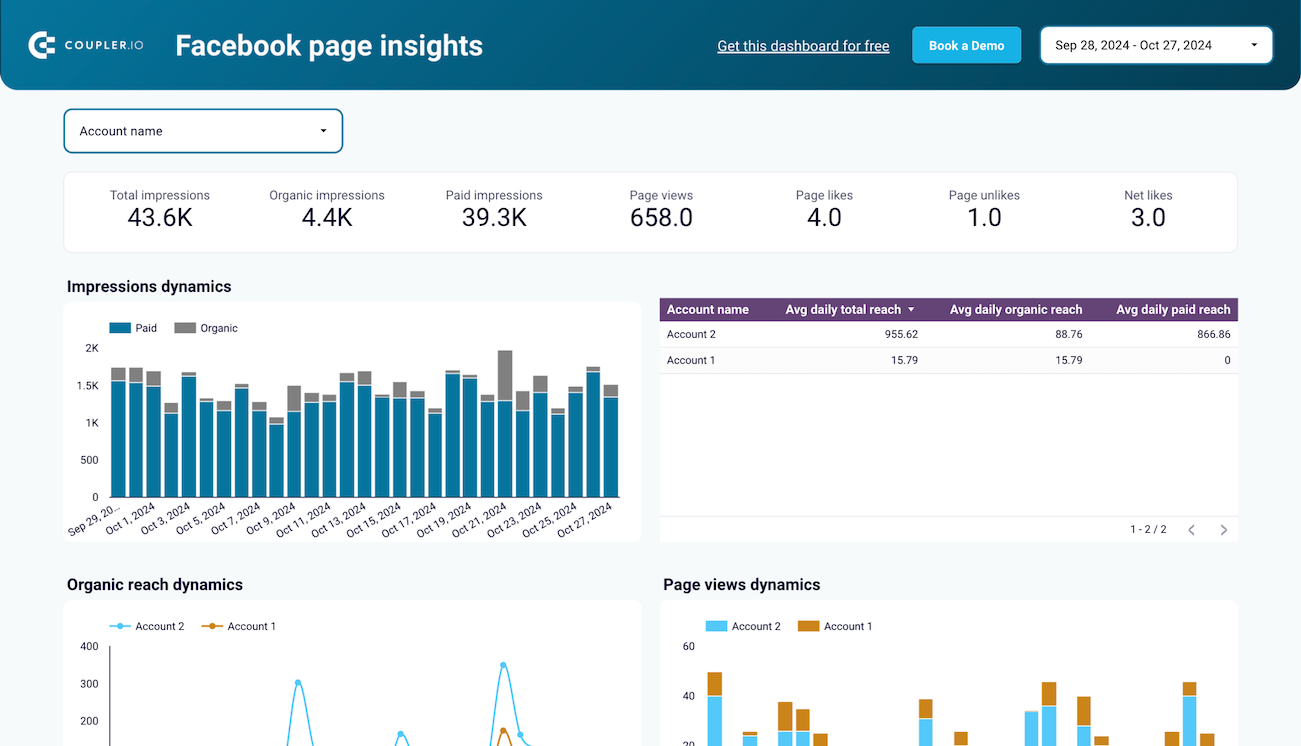
Quick start with Social Media dashboard templates
No such template is available yet.
No worries. Our team will create a template that fits your needs, just tell us more
about your case. It doesn't cost you a penny πŸ˜‰
Request a custom report

Talk to AI about your Facebook Page Insights data

BigQuery handles the heavy lifting of storing and querying large volumes of social data, but interpreting those results often requires additional context. Through Coupler.io AI integrations, you can move beyond raw query outputs and have intelligent conversations about what your Facebook Page performance actually means. Ask follow-up questions, explore hypotheses, and get recommendations without switching between analytics tools.

Examples of questions you can ask about Facebook Page Insights data:
"Which types of posts generated the highest engagement rate over the past six months and what patterns do you see?"
"Analyze our follower growth trend and identify any periods of unusual activity or decline"
"Compare reels performance against standard posts and recommend a content mix strategy"
"What day and time combinations produce the best reach for our page based on historical data?"
connect-ai-integrations image facebook.svg

Customer success stories

At Coupler.io, our mission is simple: to help our customers succeed by unlocking the full potential of their data. Check out how using Coupler.io has helped businesses like yours scale and achieve better ROI.

Keep your data safe

Coupler.io safeguards your shared information and data transfers from breaches, leaks, and unauthorized disclosures.


Google Cloud Platform icon SOC2 icon Hipaa icon GDPR Compliance icon
Learn more about security

Ready to connect Facebook Page Insights to BigQuery and automate your reporting?