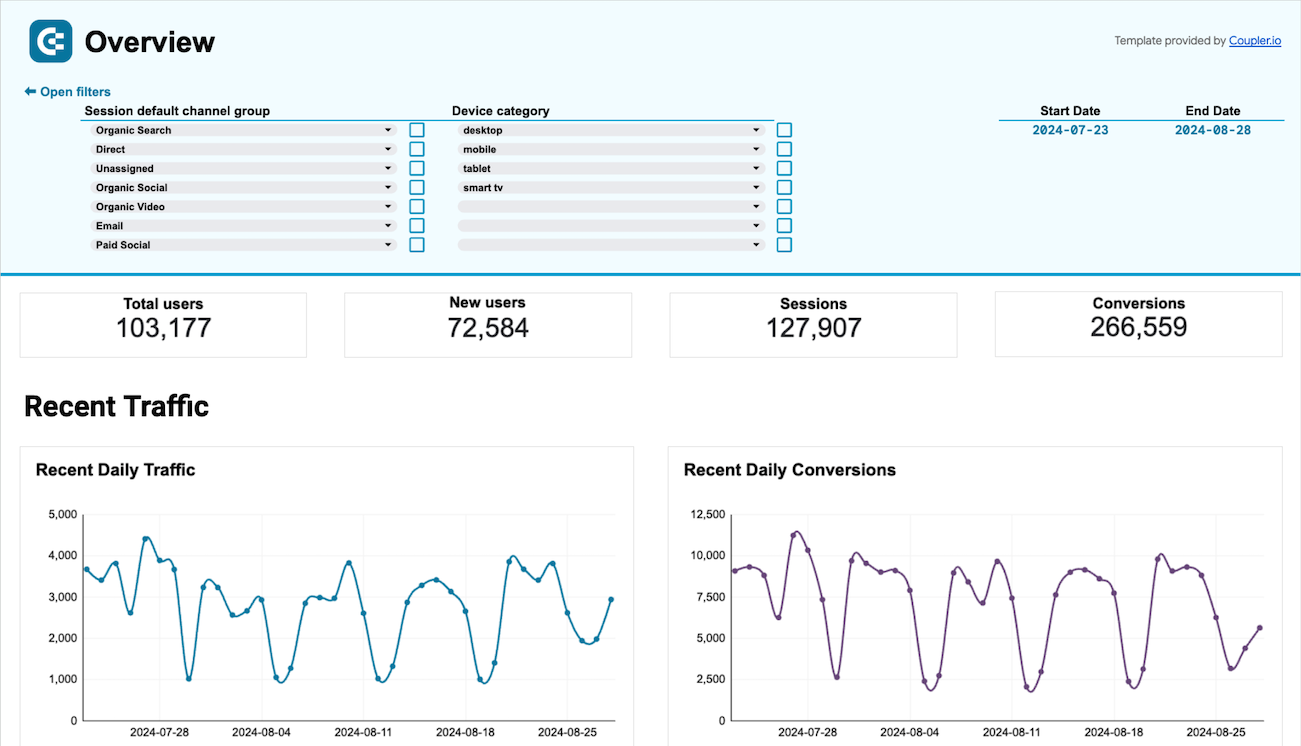
Google Sheets dashboard

Google Sheets dashboard templates for business reporting

Transform your spreadsheet experience with automated Google Sheets dashboard templates that integrate data from advertising platforms, CRM systems, accounting software, and analytics tools. Monitor advertising spend, track sales performance, analyze website traffic, and manage financial metrics through familiar spreadsheet interfaces enhanced with real-time data connections.

Google Sheets dashboard examples for every need
Ecommerce sales funnel dashboard for GA4 image
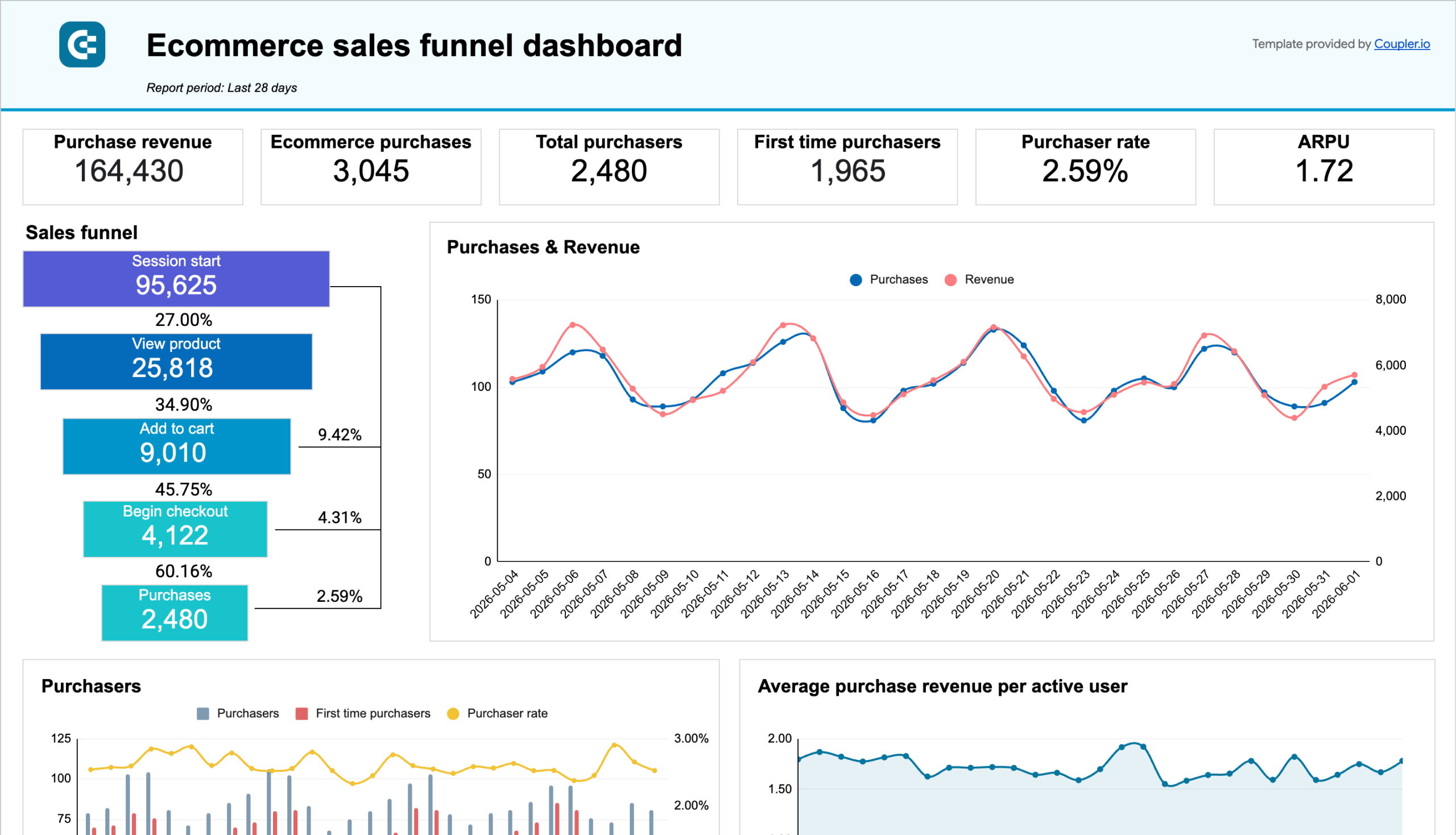
Ecommerce sales funnel dashboard for GA4
Google Analytics 4 (GA4) icon arrow icon Google Sheets icon
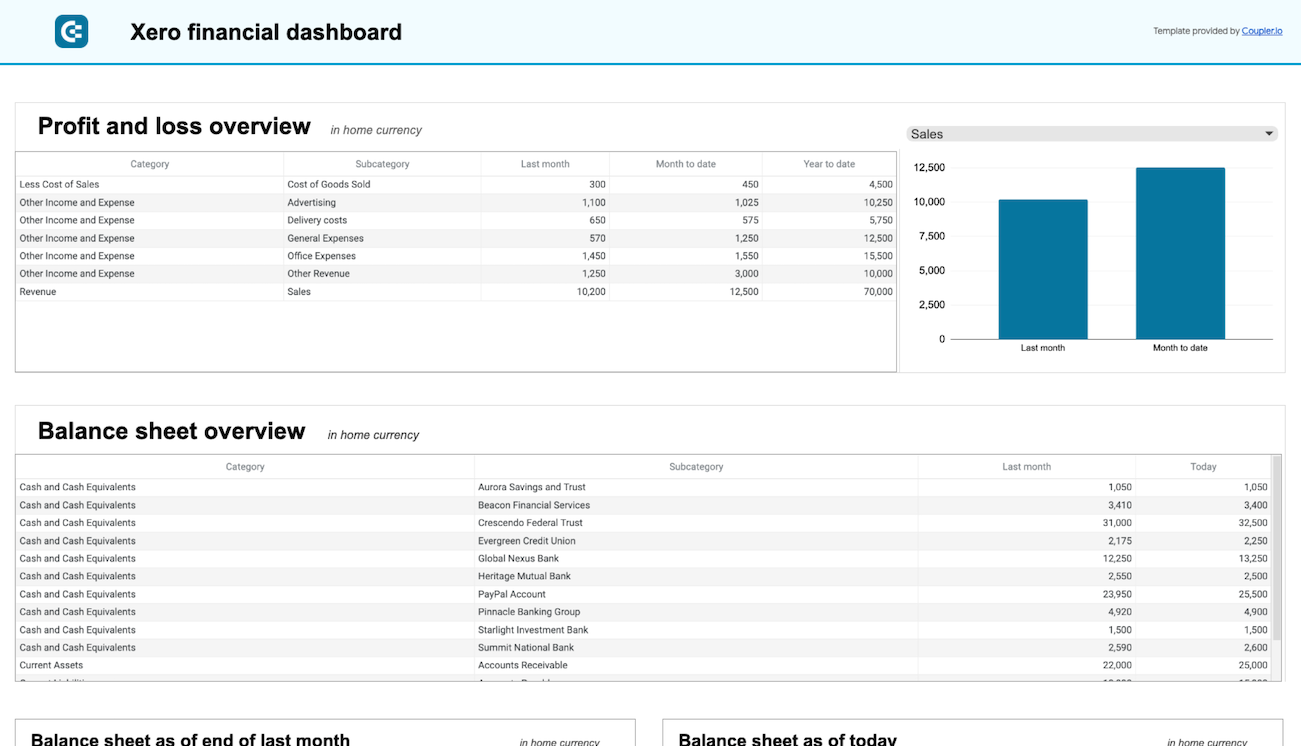
Xero financial dashboard image
Xero financial dashboard
Xero Reports icon Xero icon arrow icon Google Sheets icon
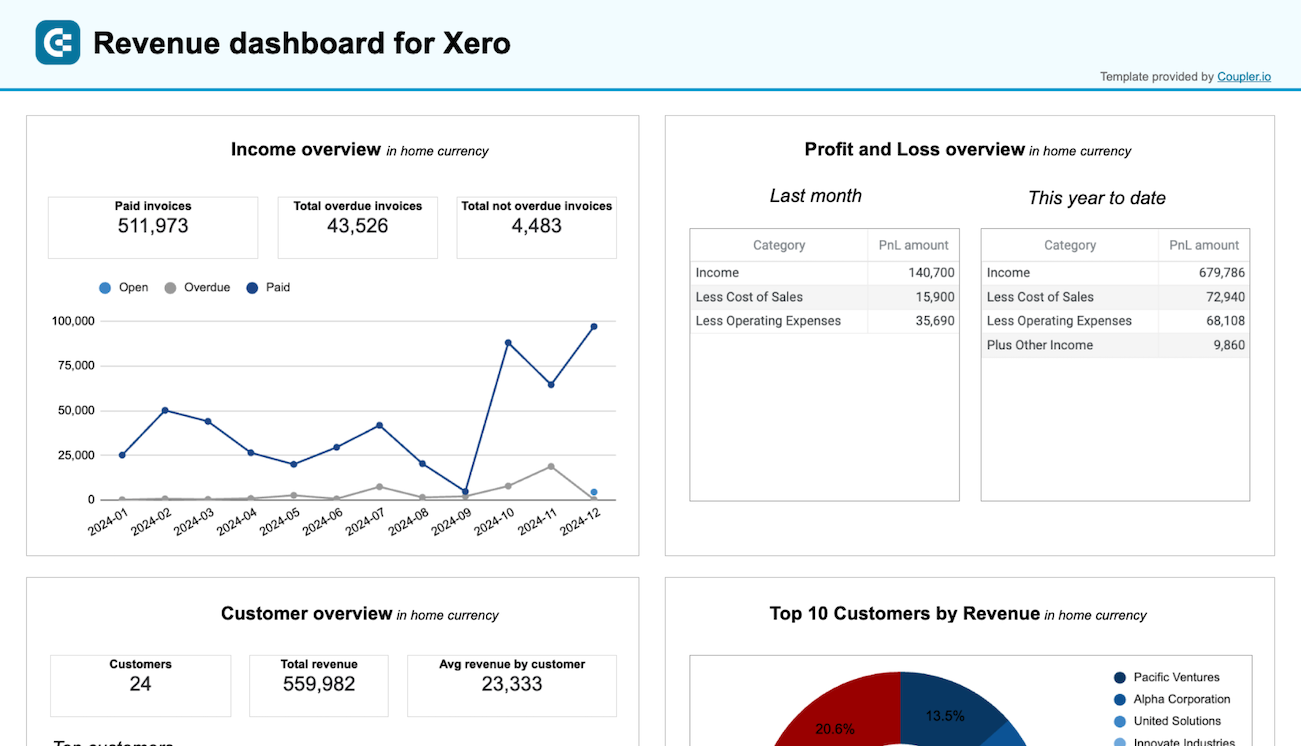
Revenue dashboard for Xero image
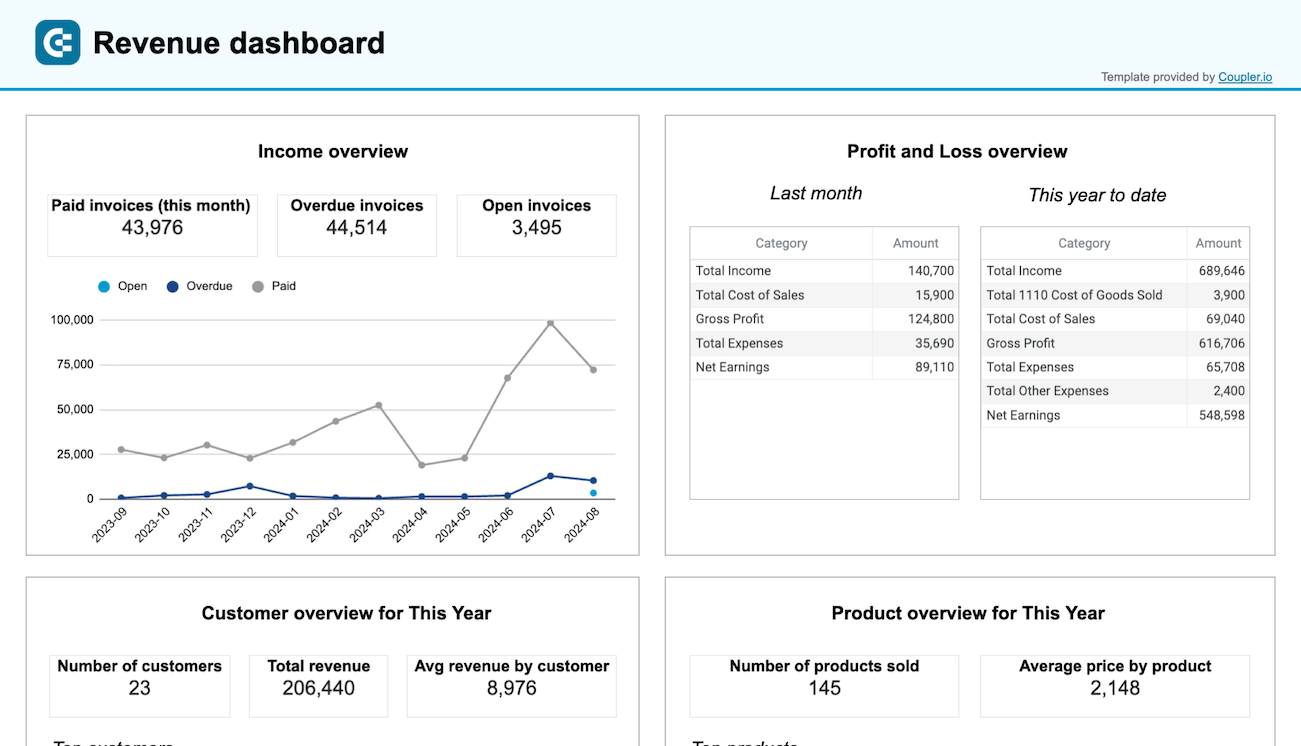
Revenue dashboard for Xero
Xero icon Xero Reports icon arrow icon Google Sheets icon
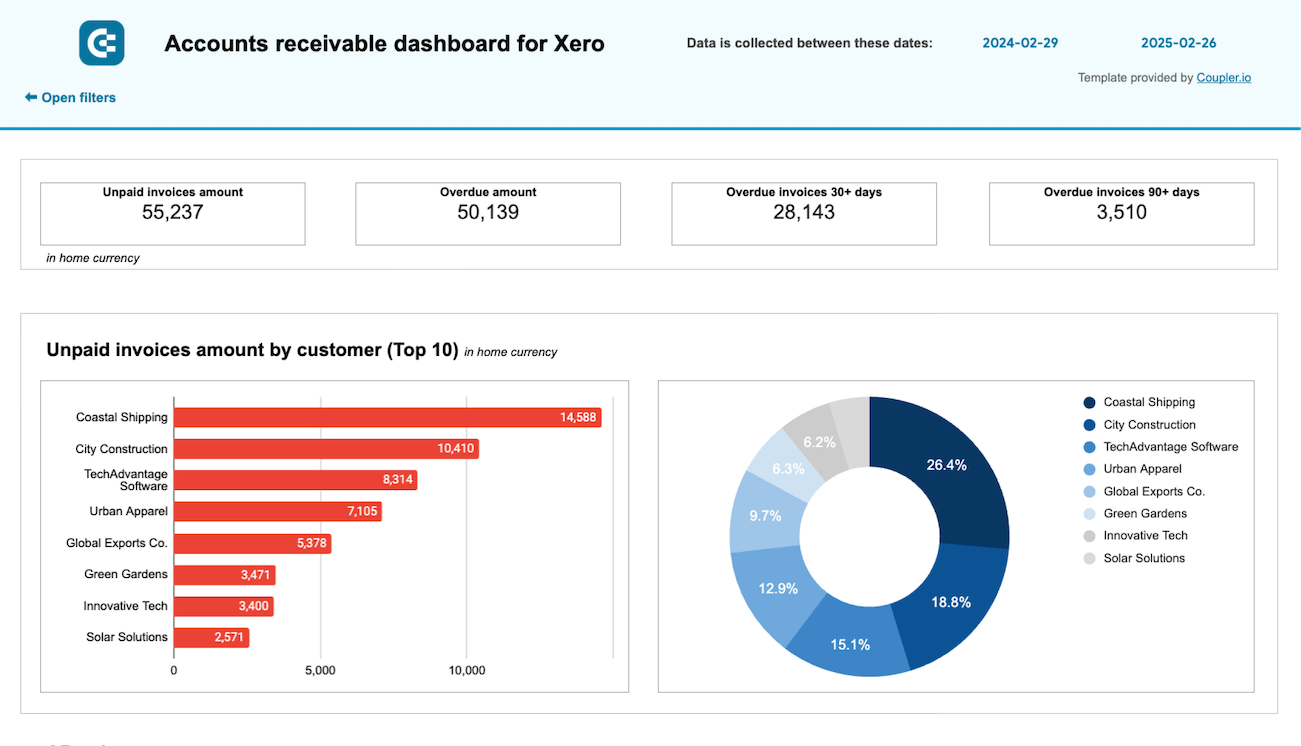
Accounts receivable dashboard for Xero image
Accounts receivable dashboard for Xero
Xero icon arrow icon Google Sheets icon
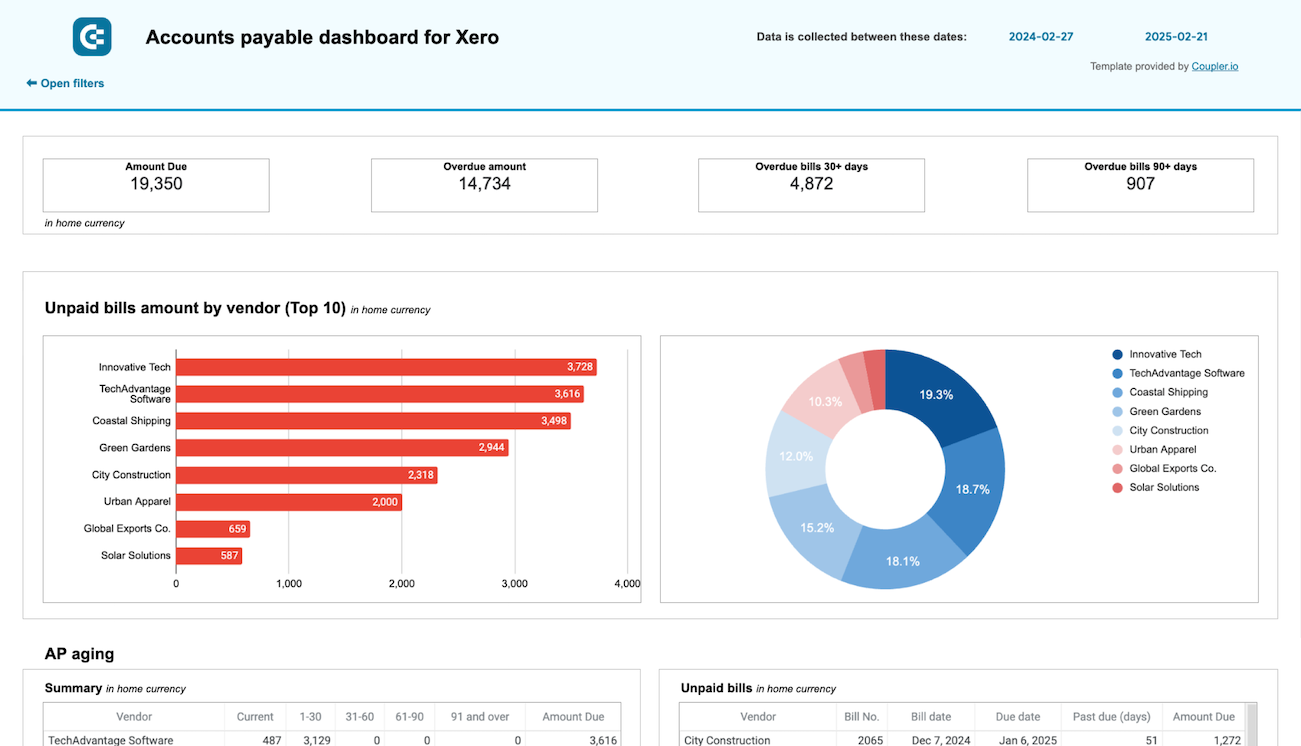
Accounts payable dashboard for Xero image
Accounts payable dashboard for Xero
Xero Reports icon Xero icon arrow icon Google Sheets icon
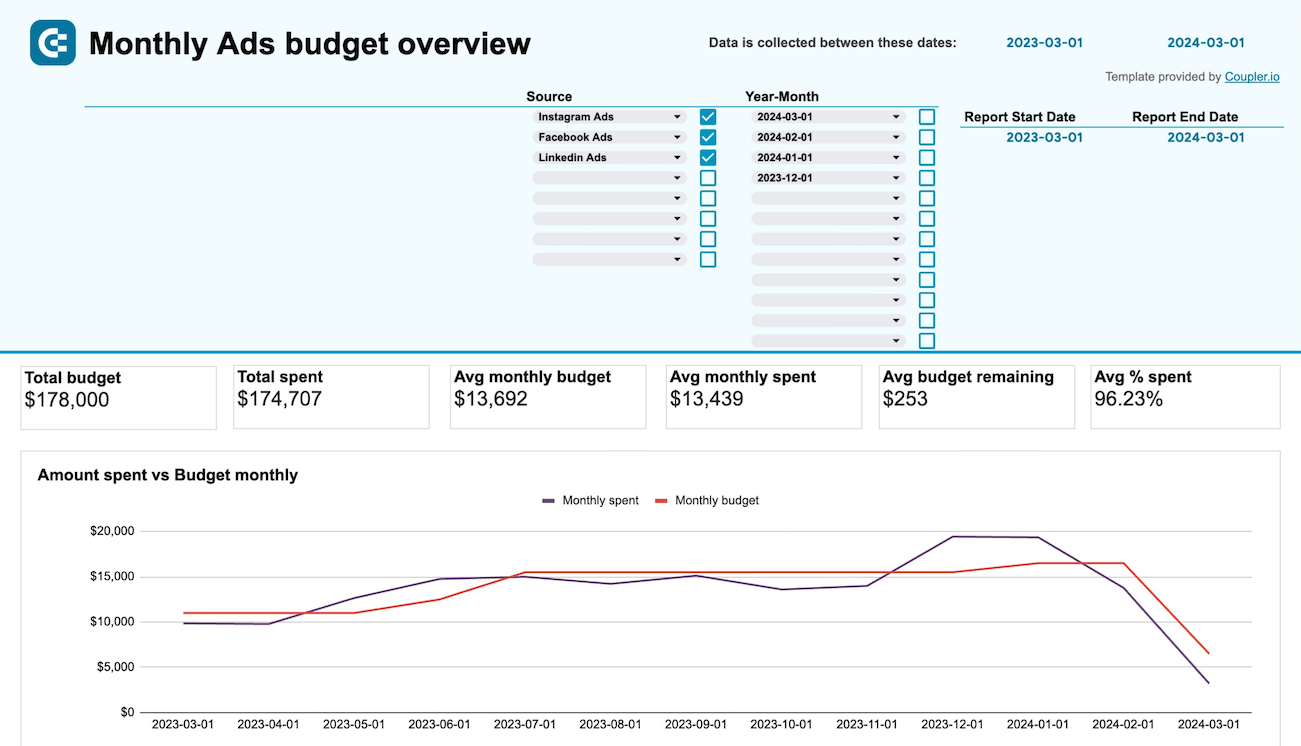
PPC monthly budget by campaign group - dashboard image
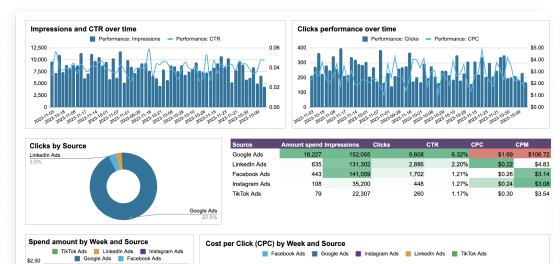
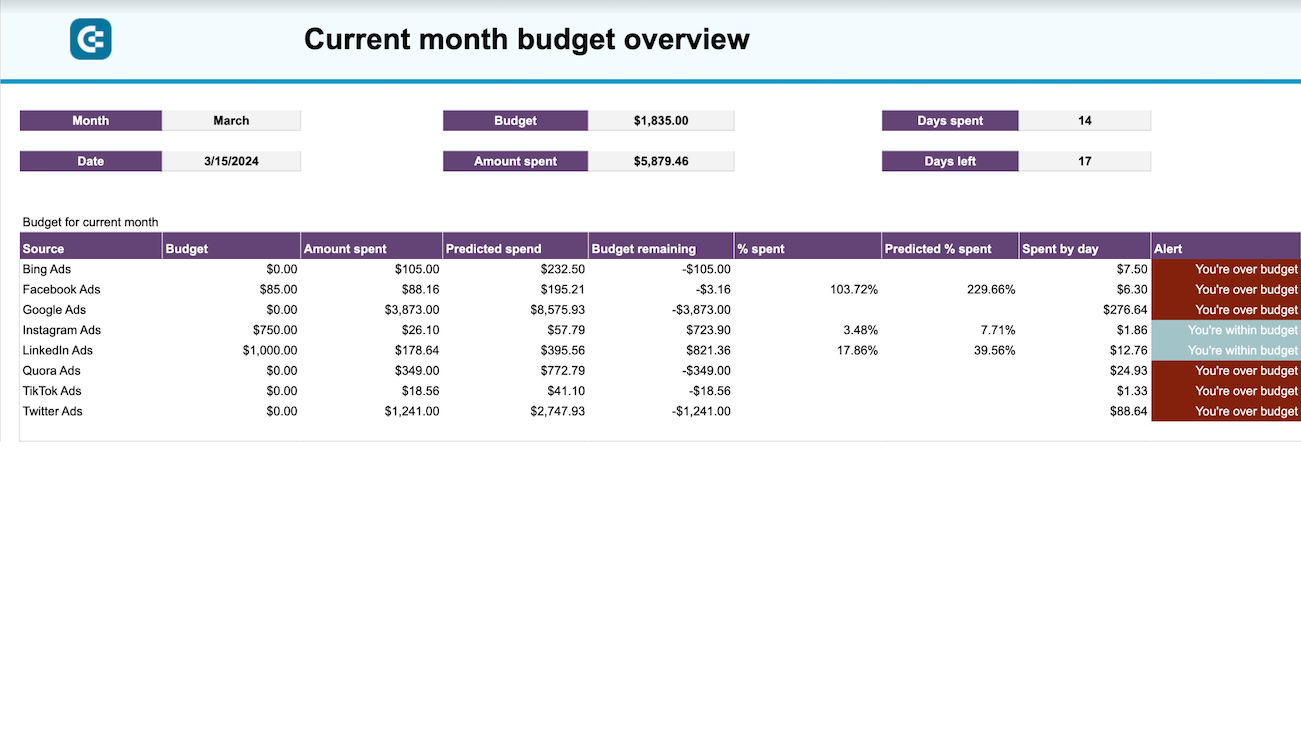
PPC monthly budget by campaign group - dashboard
Facebook Ads (Meta Ads) icon LinkedIn Ads icon Quora Ads icon Reddit ads icon Snapchat Ads icon Google Ads icon TikTok Ads icon +2 arrow icon Google Sheets icon
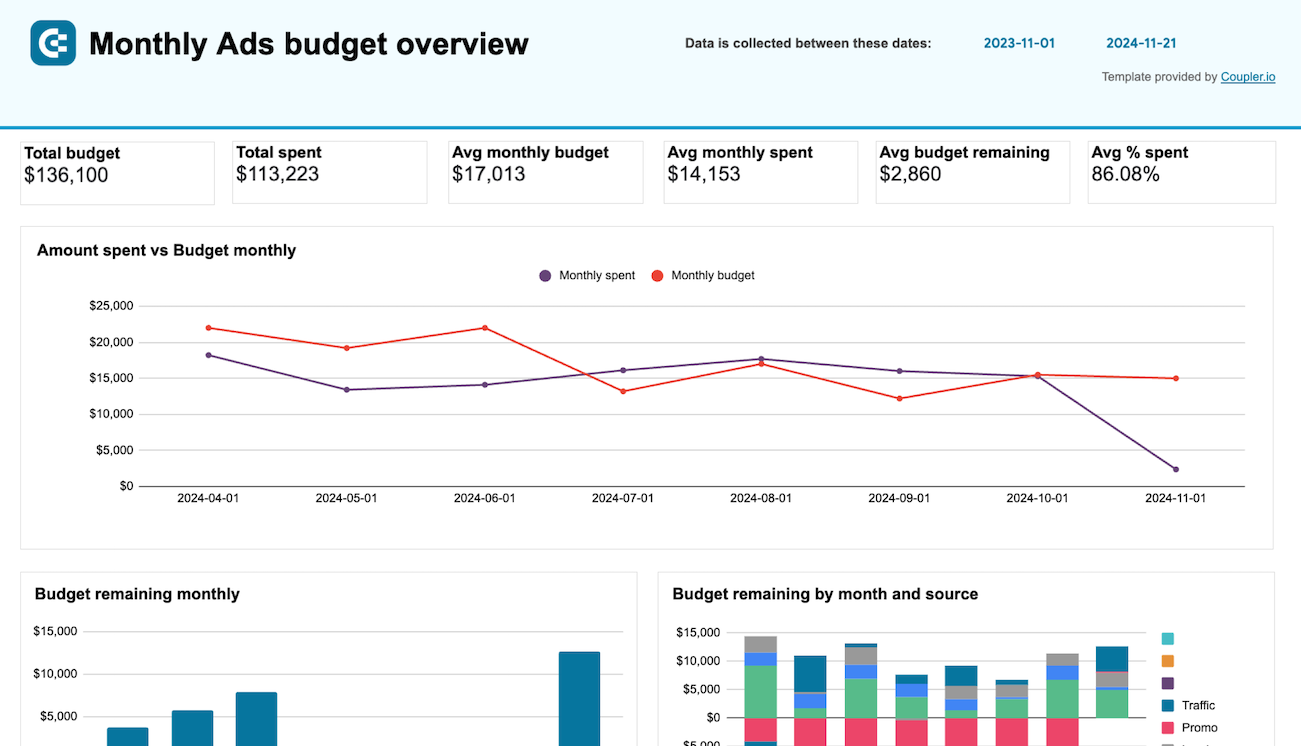
PPC monthly budget dashboard image
PPC monthly budget dashboard
Snapchat Ads icon Quora Ads icon Reddit ads icon Facebook Ads (Meta Ads) icon LinkedIn Ads icon Google Ads icon TikTok Ads icon +2 arrow icon Google Sheets icon
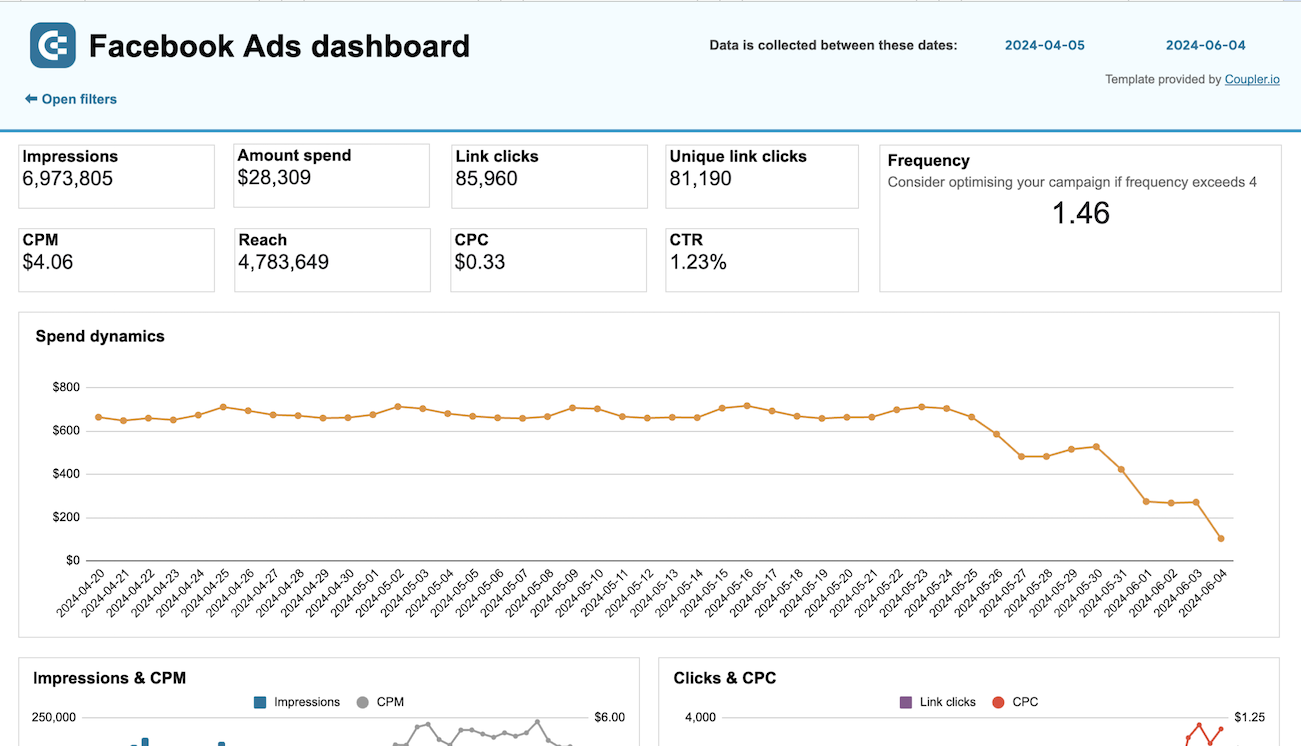
Facebook Ads dashboard image
Facebook Ads dashboard
Facebook Ads (Meta Ads) icon arrow icon Google Sheets icon
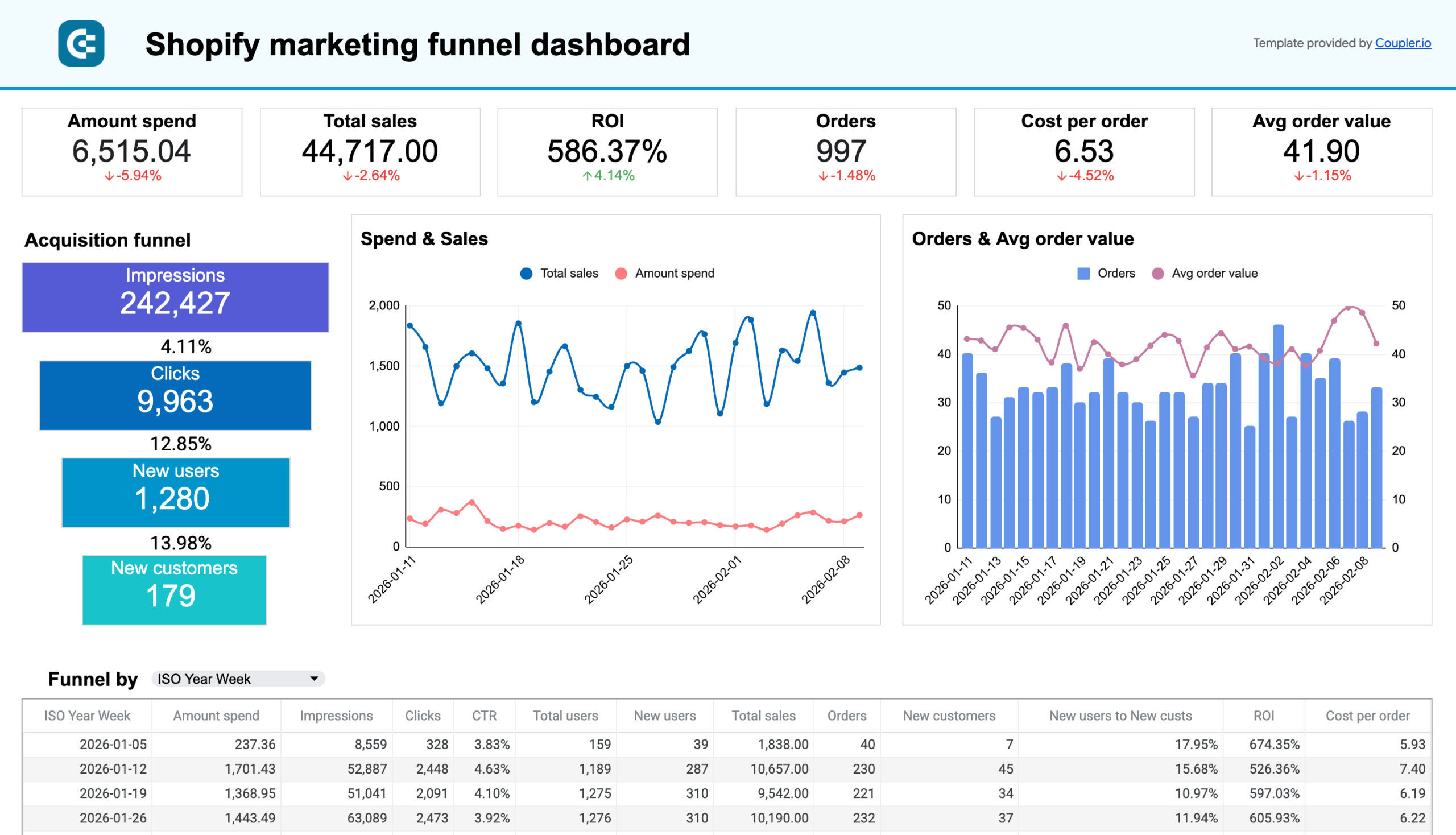
Shopify marketing funnel dashboard image
Shopify marketing funnel dashboard
Facebook Ads (Meta Ads) icon LinkedIn Ads icon Snapchat Ads icon TikTok Ads icon X (Twitter) Ads icon Google Analytics 4 (GA4) icon Google Ads icon +4 arrow icon Google Sheets icon
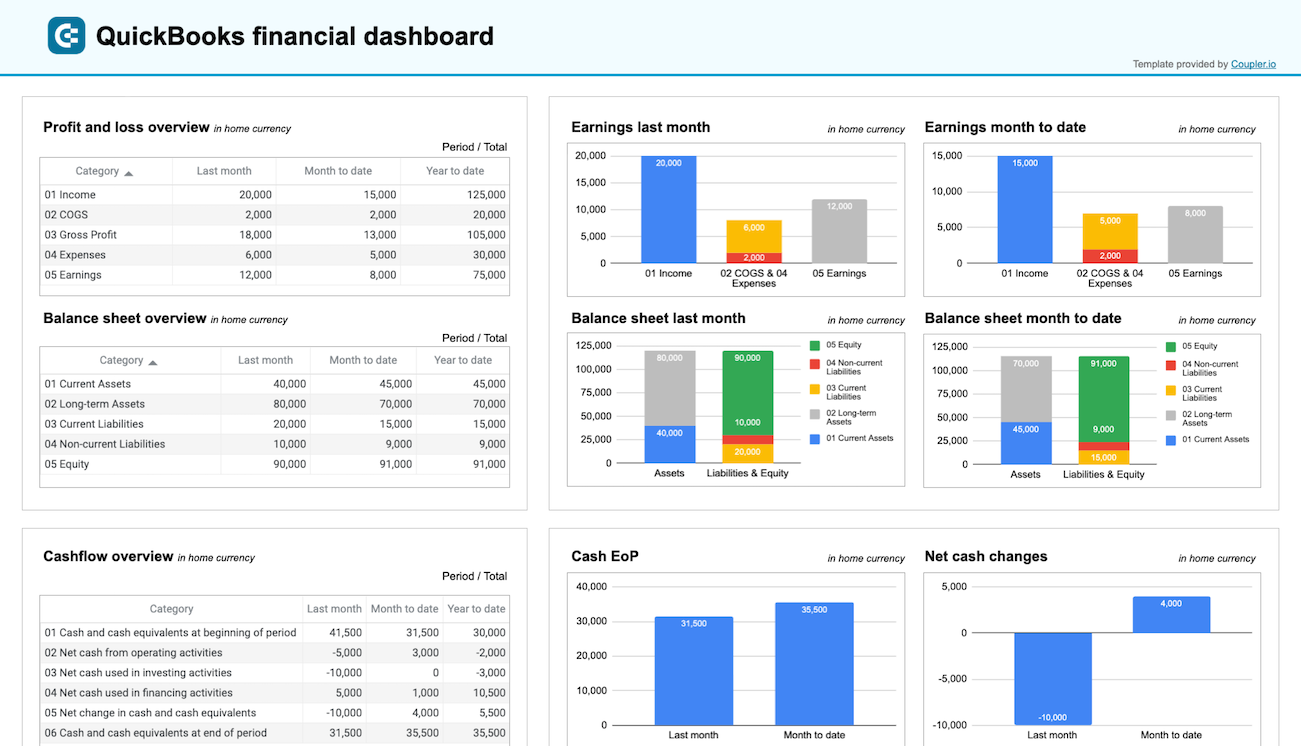
QuickBooks financial dashboard image
QuickBooks financial dashboard
QuickBooks Reports icon QuickBooks icon arrow icon Google Sheets icon
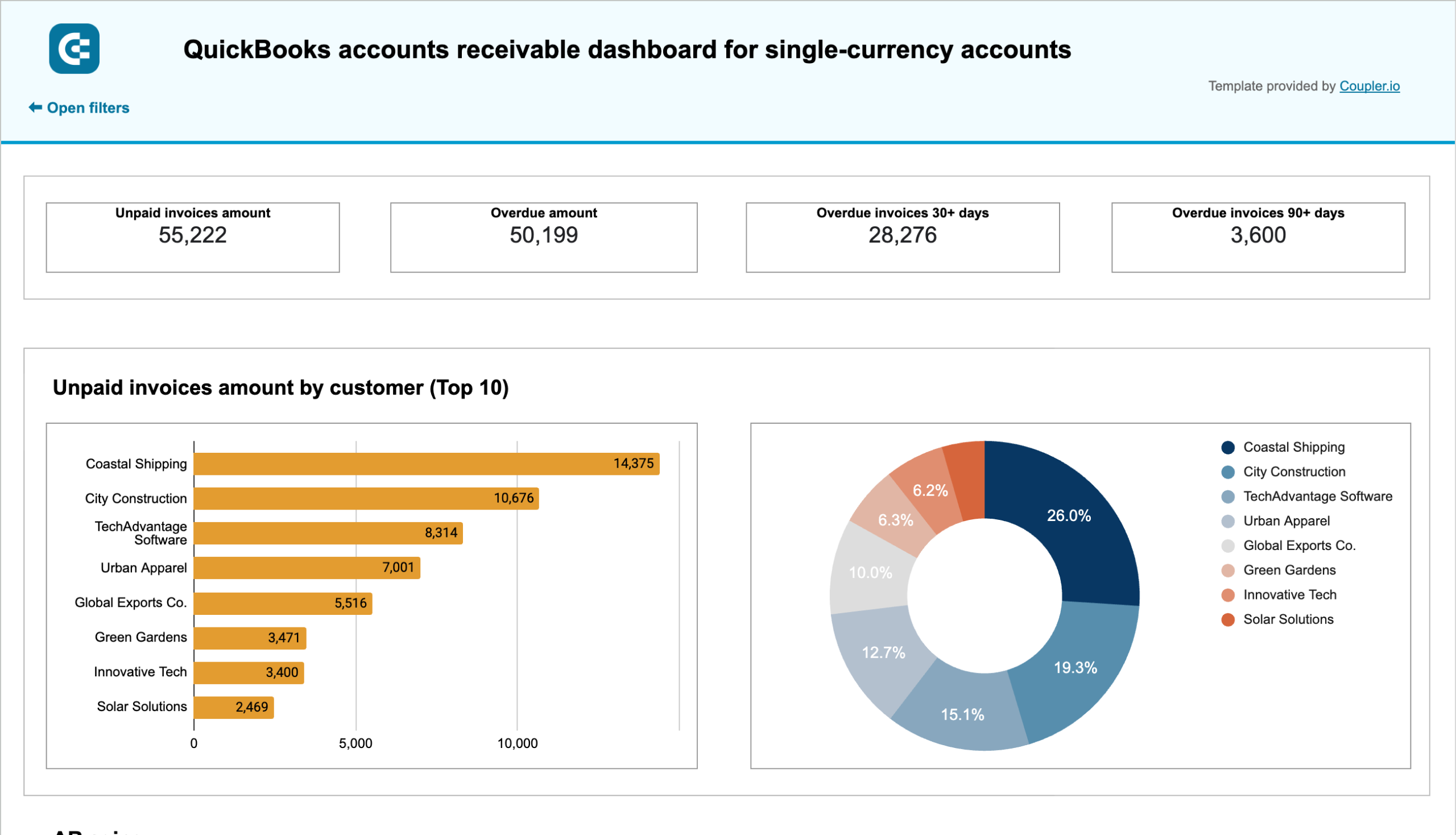
QuickBooks accounts receivable dashboard for single-currency accounts image
QuickBooks accounts receivable dashboard for single-currency accounts
QuickBooks Reports icon QuickBooks icon arrow icon Google Sheets icon
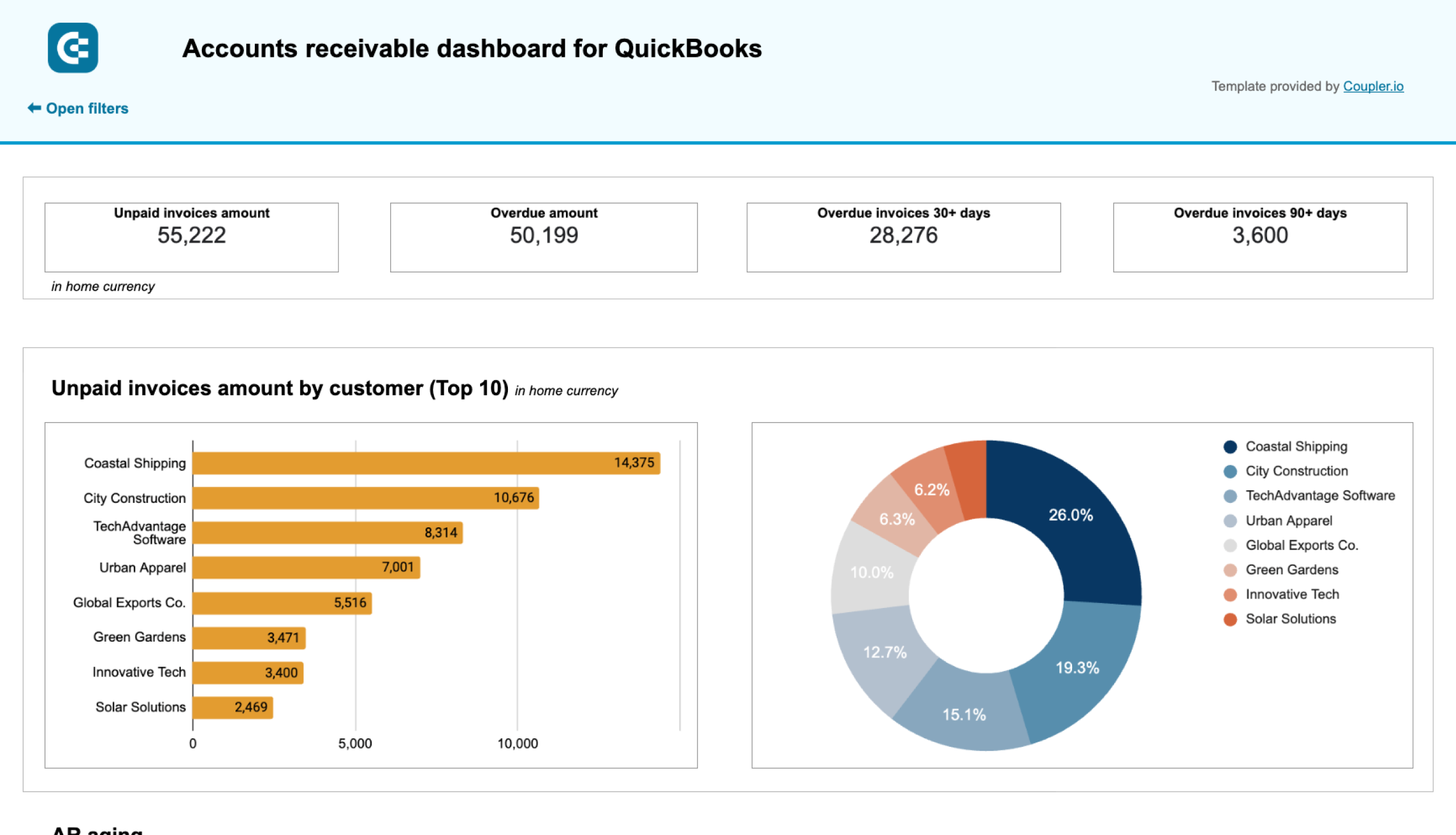
QuickBooks accounts receivable dashboard for multi-currency accounts image
QuickBooks accounts receivable dashboard for multi-currency accounts
QuickBooks Reports icon QuickBooks icon arrow icon Google Sheets icon
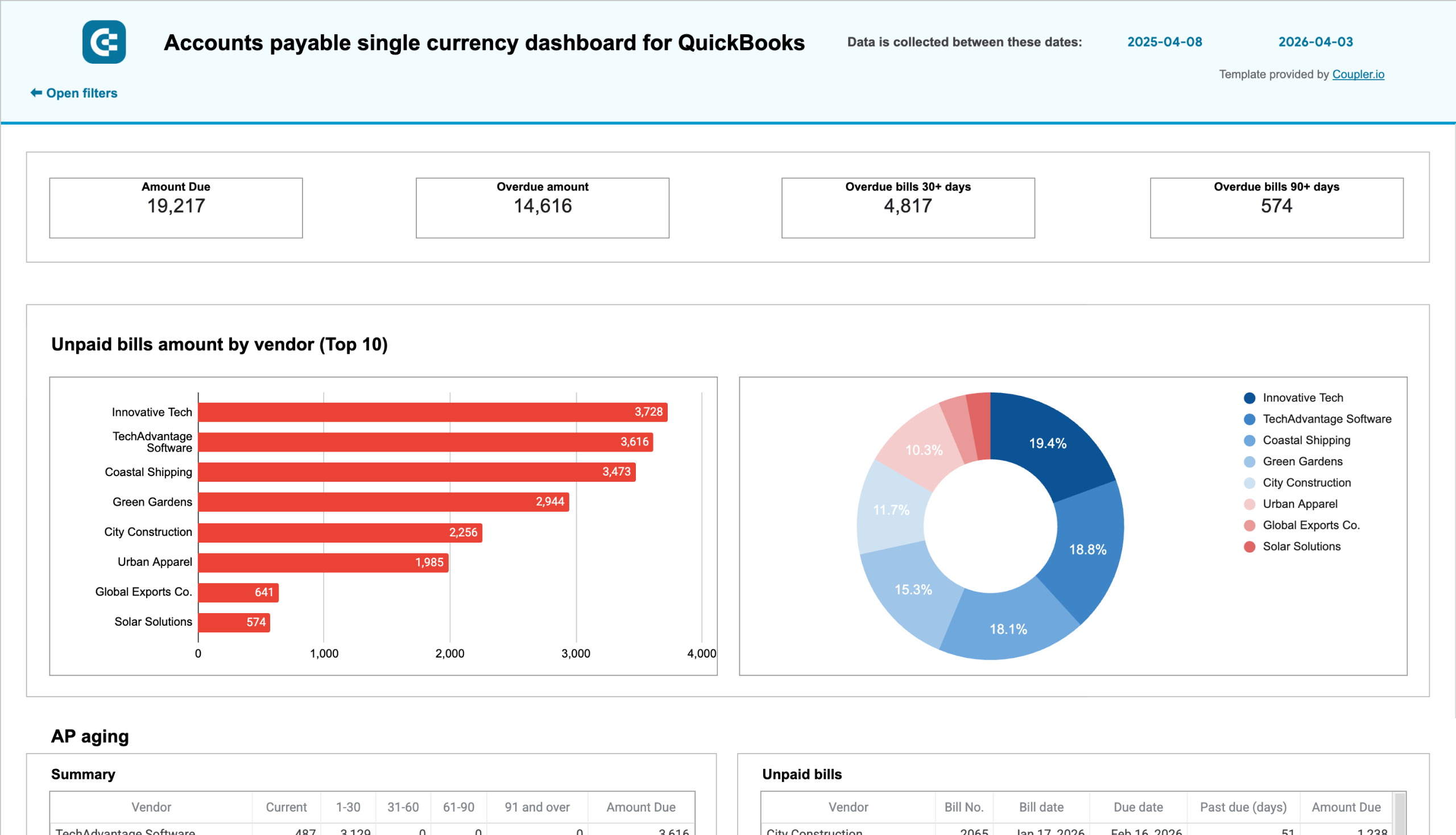
QuickBooks accounts payable dashboard for single-currency accounts image
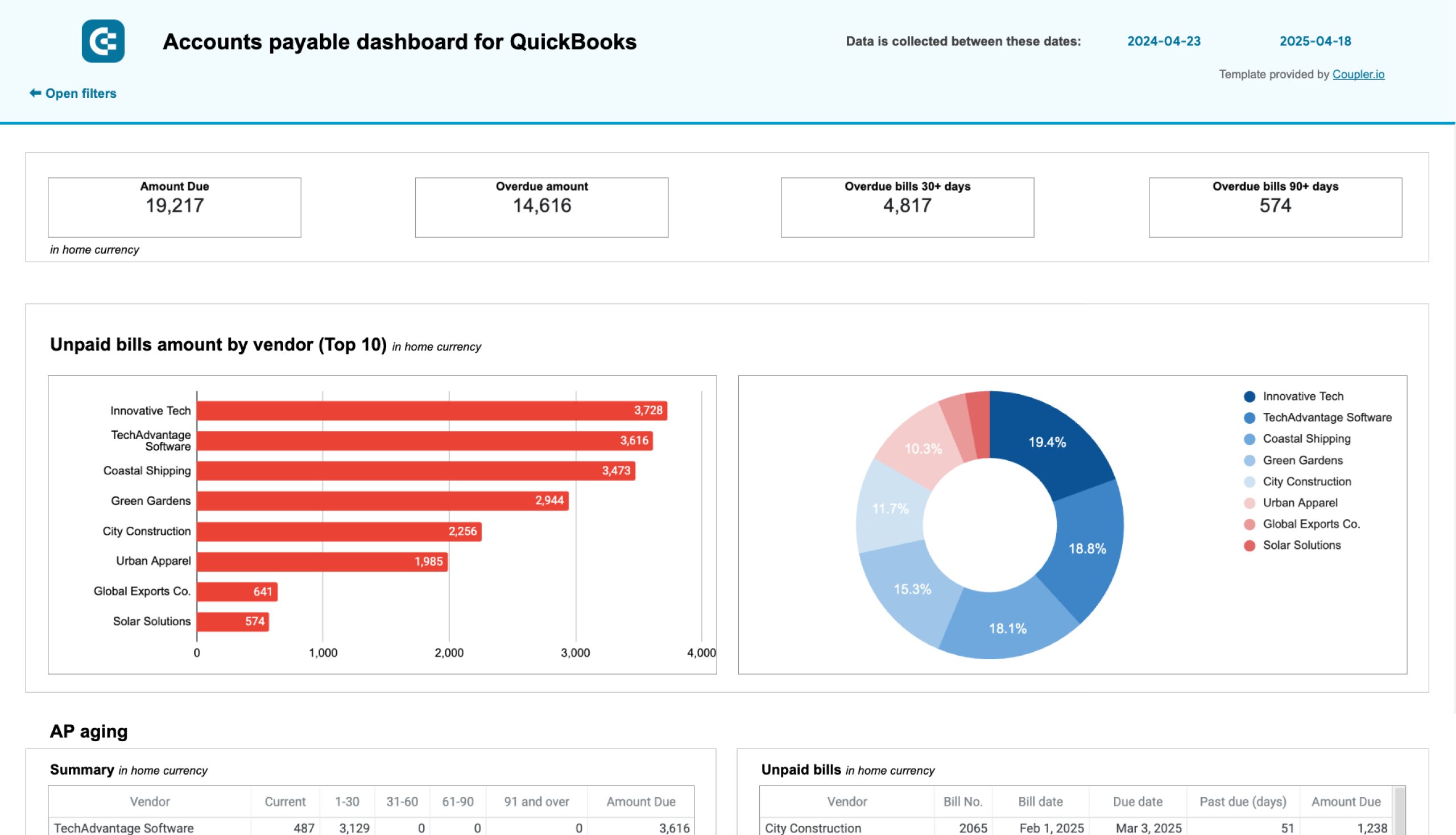
QuickBooks accounts payable dashboard for single-currency accounts
QuickBooks icon QuickBooks Reports icon arrow icon Google Sheets icon
QuickBooks accounts payable dashboard for multi-currency accounts image
QuickBooks accounts payable dashboard for multi-currency accounts
QuickBooks icon QuickBooks Reports icon arrow icon Google Sheets icon
QuickBooks revenue dashboard for single-currency accounts image
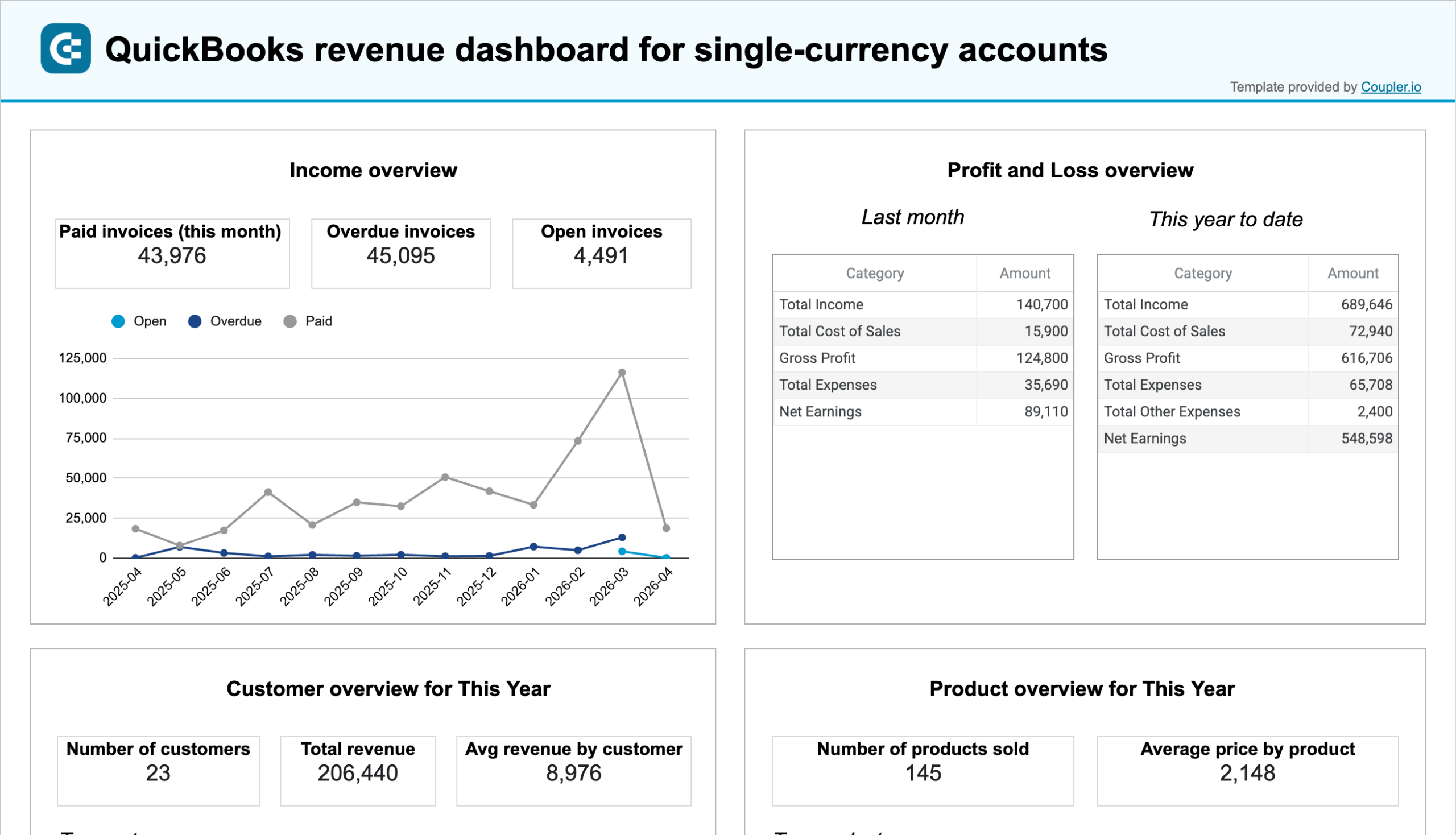
QuickBooks revenue dashboard for single-currency accounts
QuickBooks Reports icon QuickBooks icon arrow icon Google Sheets icon
QuickBooks revenue dashboard for multi-currency accounts image
QuickBooks revenue dashboard for multi-currency accounts
QuickBooks Reports icon QuickBooks icon arrow icon Google Sheets icon
Google Search Ads performance tracker + editor image
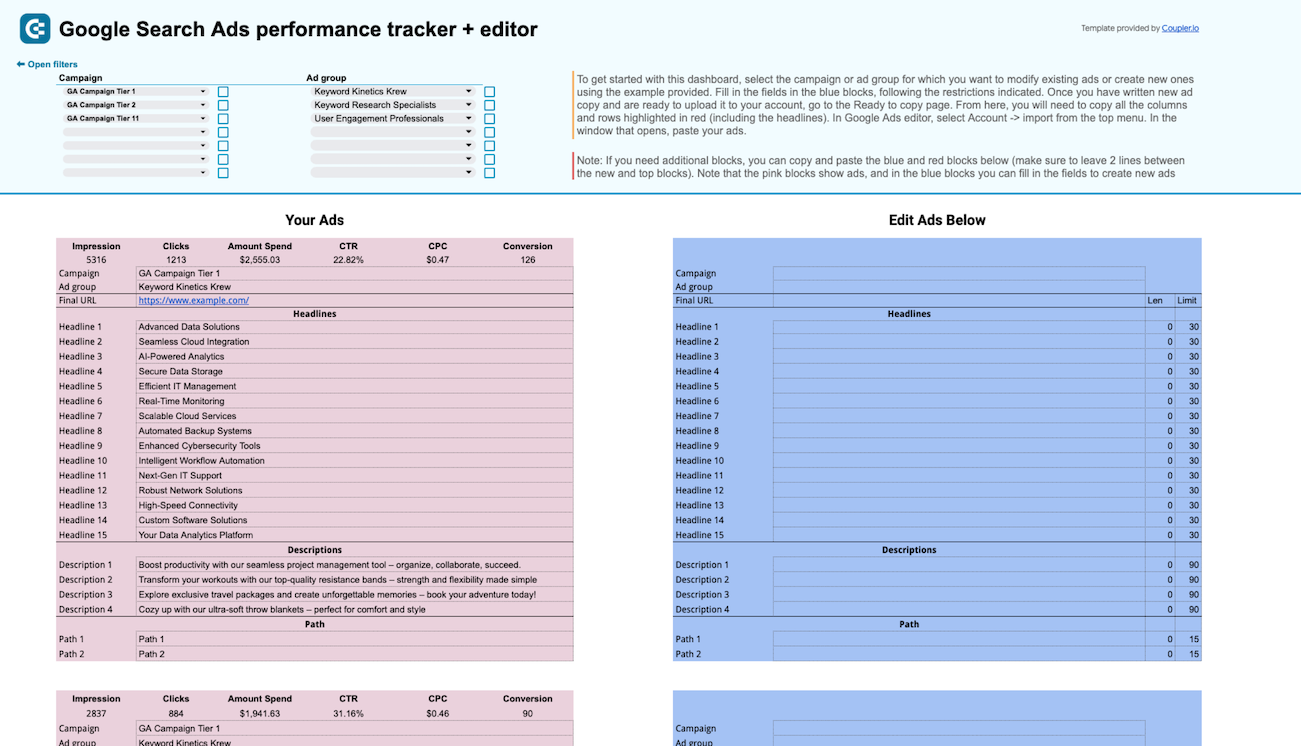
Google Search Ads performance tracker + editor
Google Ads icon arrow icon Google Sheets icon
PPC multi-channel dashboard image
PPC multi-channel dashboard
Microsoft Ads (Bing Ads) icon Google Ads icon Reddit ads icon Snapchat Ads icon Facebook Ads (Meta Ads) icon LinkedIn Ads icon TikTok Ads icon +3 arrow icon Google Sheets icon
Multi-channel creatives performance dashboard image
Multi-channel creatives performance dashboard
LinkedIn Ads icon Facebook Ads (Meta Ads) icon Microsoft Ads (Bing Ads) icon TikTok Ads icon Google Ads icon arrow icon Google Sheets icon
Advertising budget forecast dashboard image
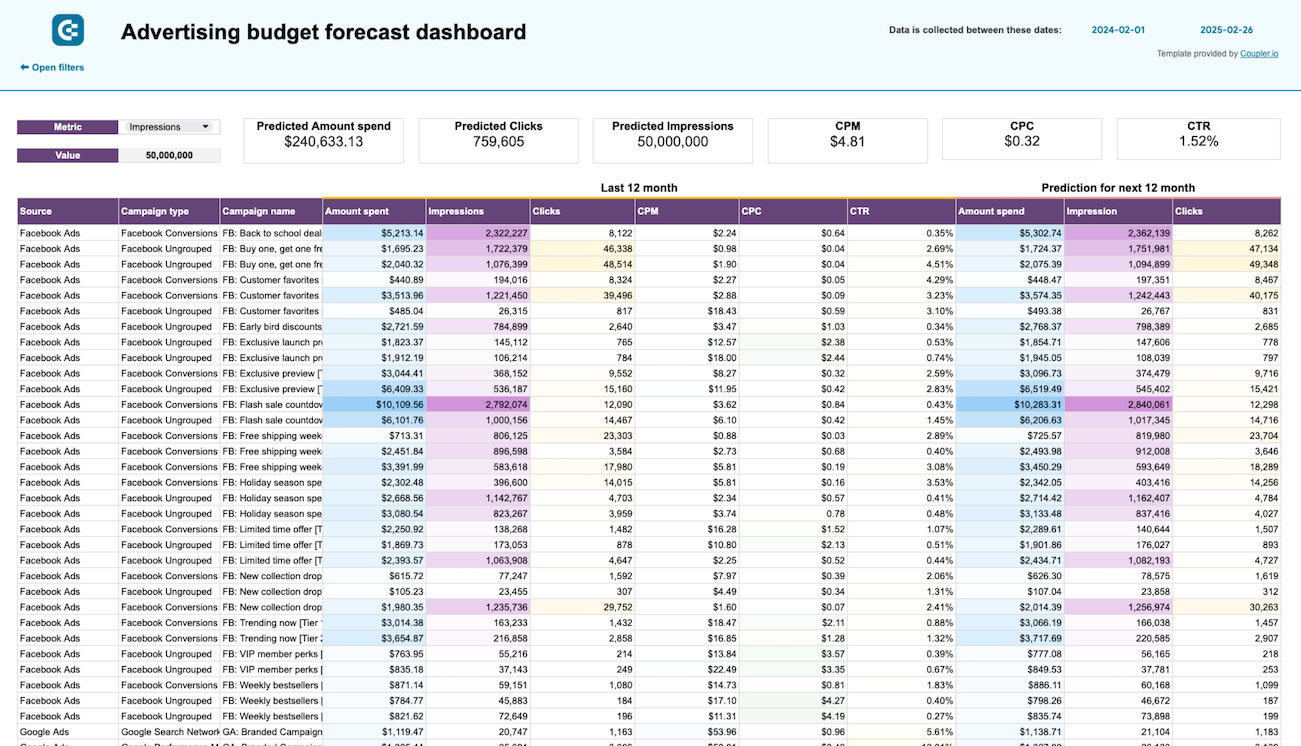
Advertising budget forecast dashboard
Facebook Ads (Meta Ads) icon Google Ads icon Quora Ads icon LinkedIn Ads icon Microsoft Ads (Bing Ads) icon TikTok Ads icon X (Twitter) Ads icon +1 arrow icon Google Sheets icon
PPC multi-channel dashboard with budget image
PPC multi-channel dashboard with budget
Snapchat Ads icon LinkedIn Ads icon TikTok Ads icon Quora Ads icon Microsoft Ads (Bing Ads) icon X (Twitter) Ads icon Google Ads icon +3 arrow icon Google Sheets icon
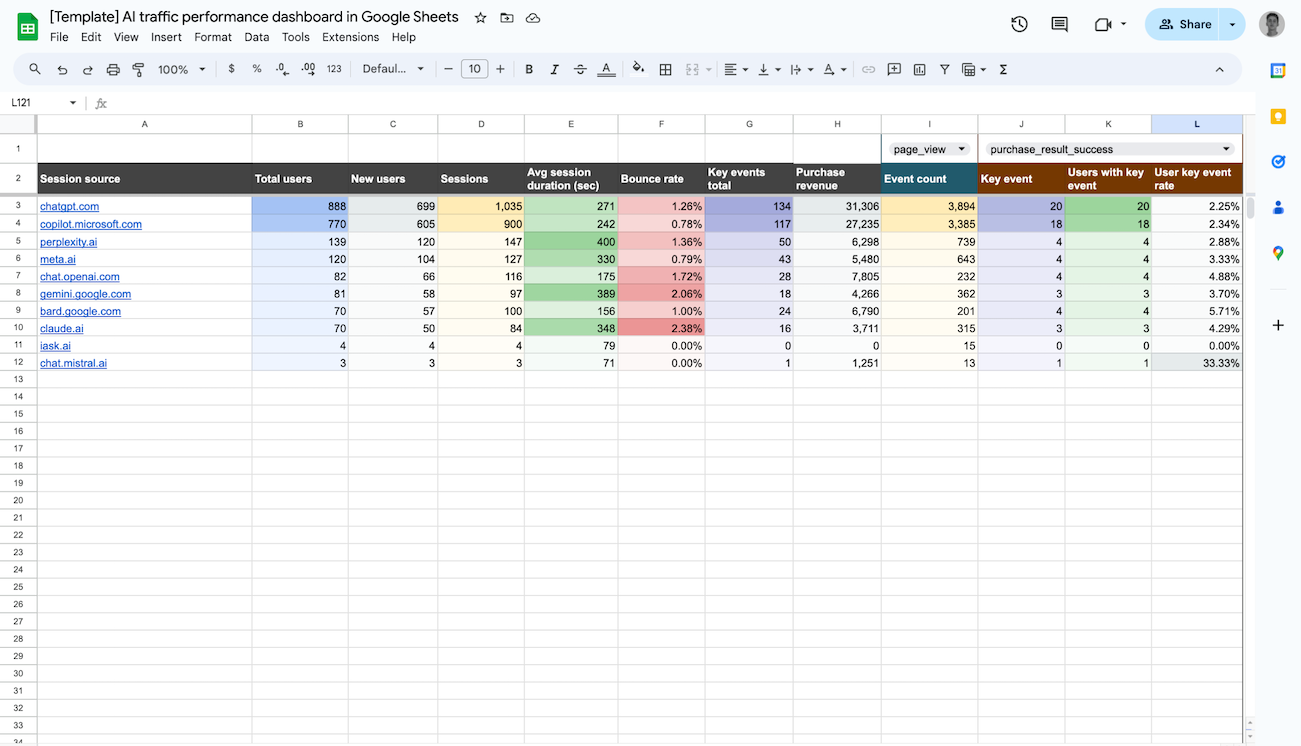
AI traffic analytics dashboard image
AI traffic analytics dashboard
Google Analytics 4 (GA4) icon arrow icon Google Sheets icon
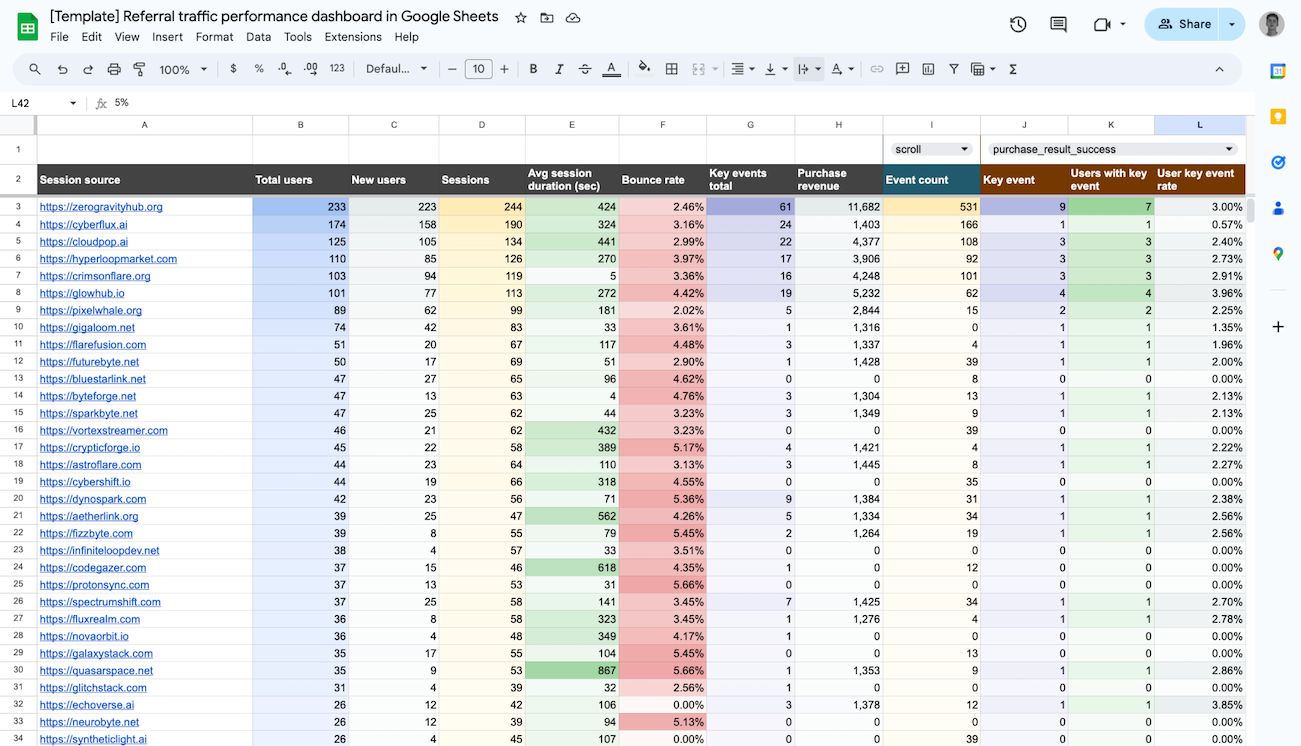
Referral traffic performance dashboard image
Referral traffic performance dashboard
Google Analytics 4 (GA4) icon arrow icon Google Sheets icon
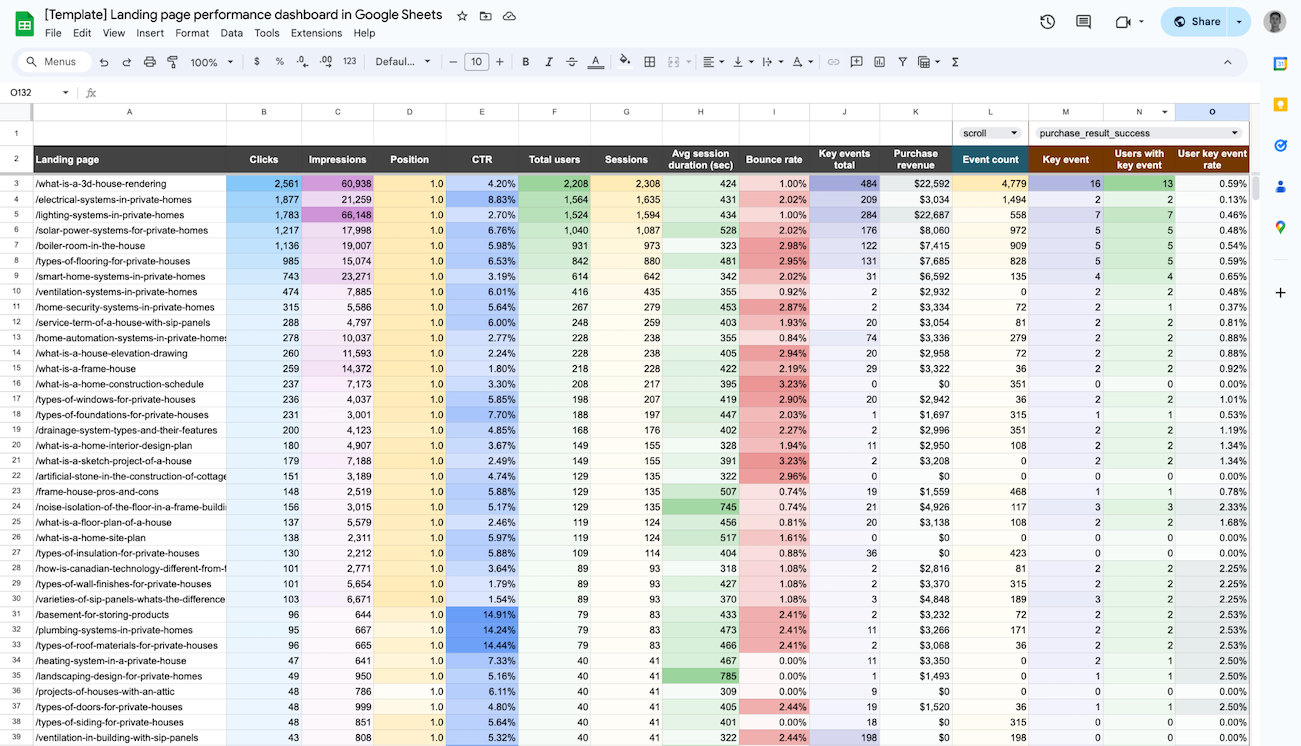
Landing page performance dashboard image
Landing page performance dashboard
Google Analytics 4 (GA4) icon Google Search Console icon arrow icon Google Sheets icon
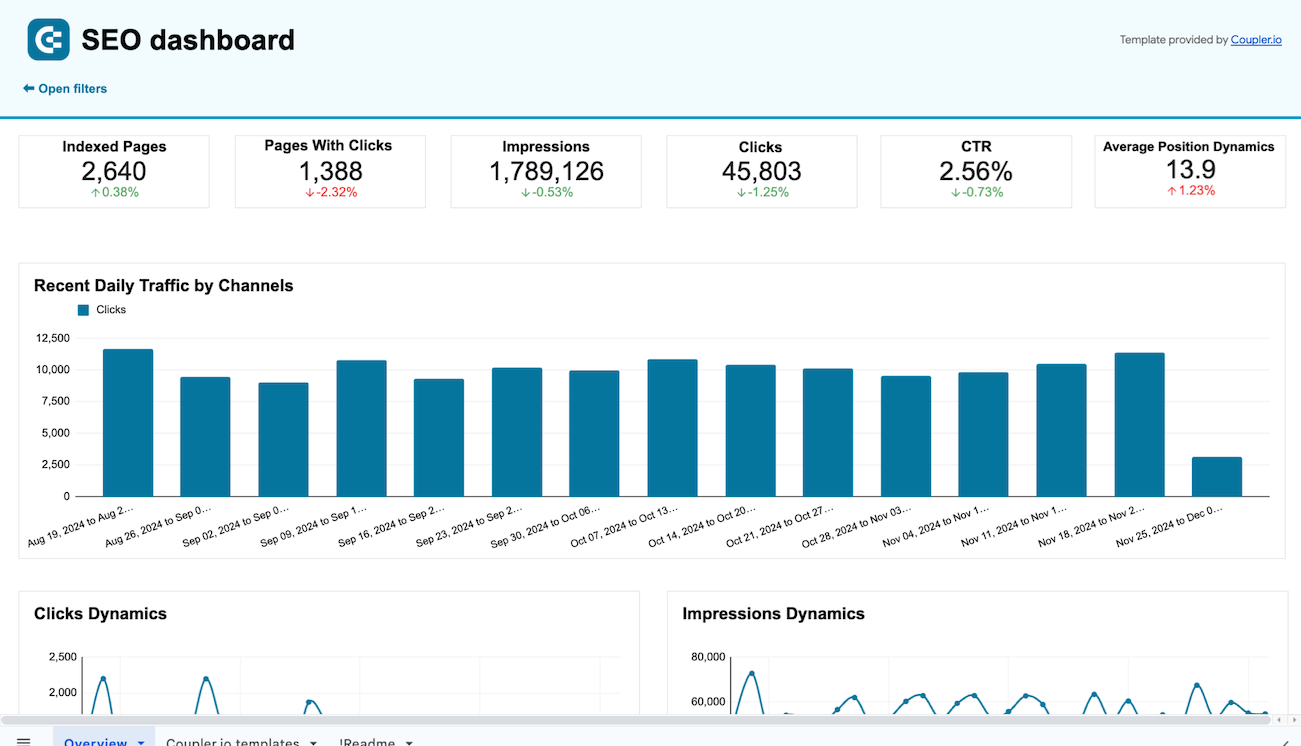
SEO dashboard for Google Search Console image
SEO dashboard for Google Search Console
Google Search Console icon arrow icon Google Sheets icon
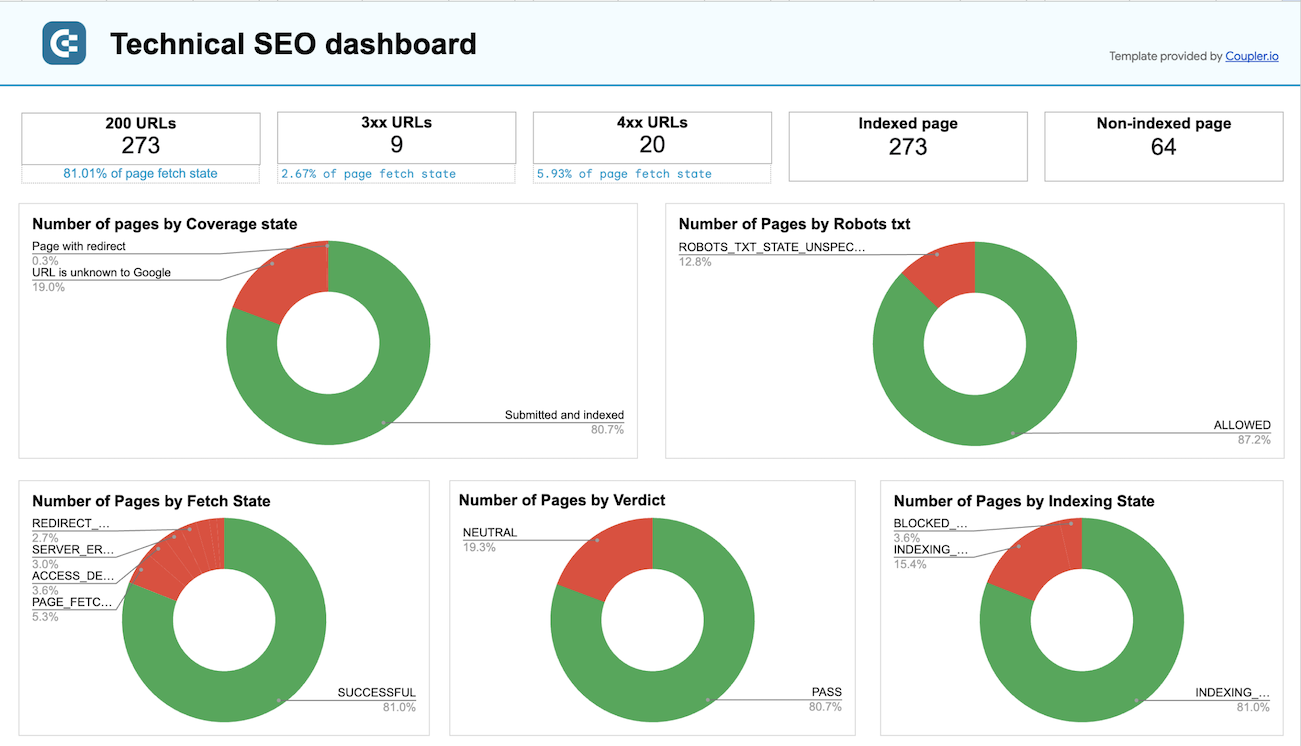
Technical SEO dashboard image
Technical SEO dashboard
Google Search Console icon arrow icon Google Sheets icon
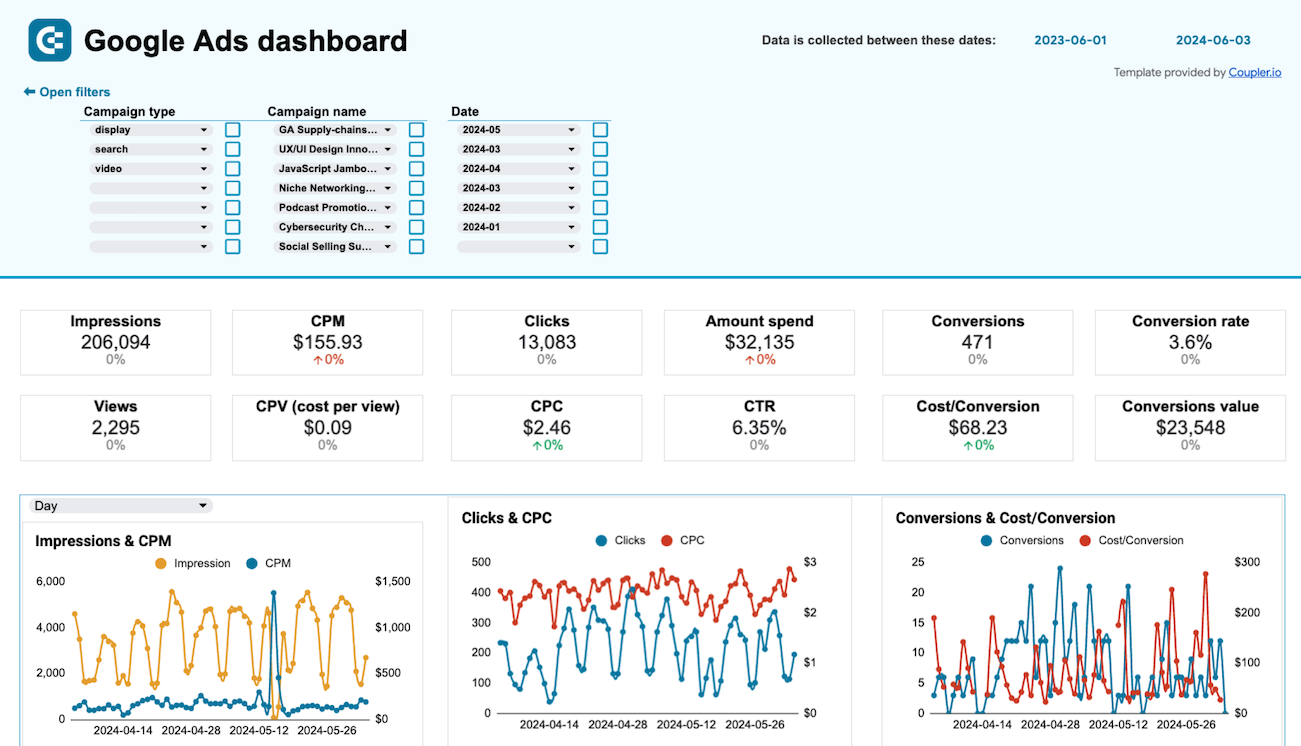
Google Ads dashboard image
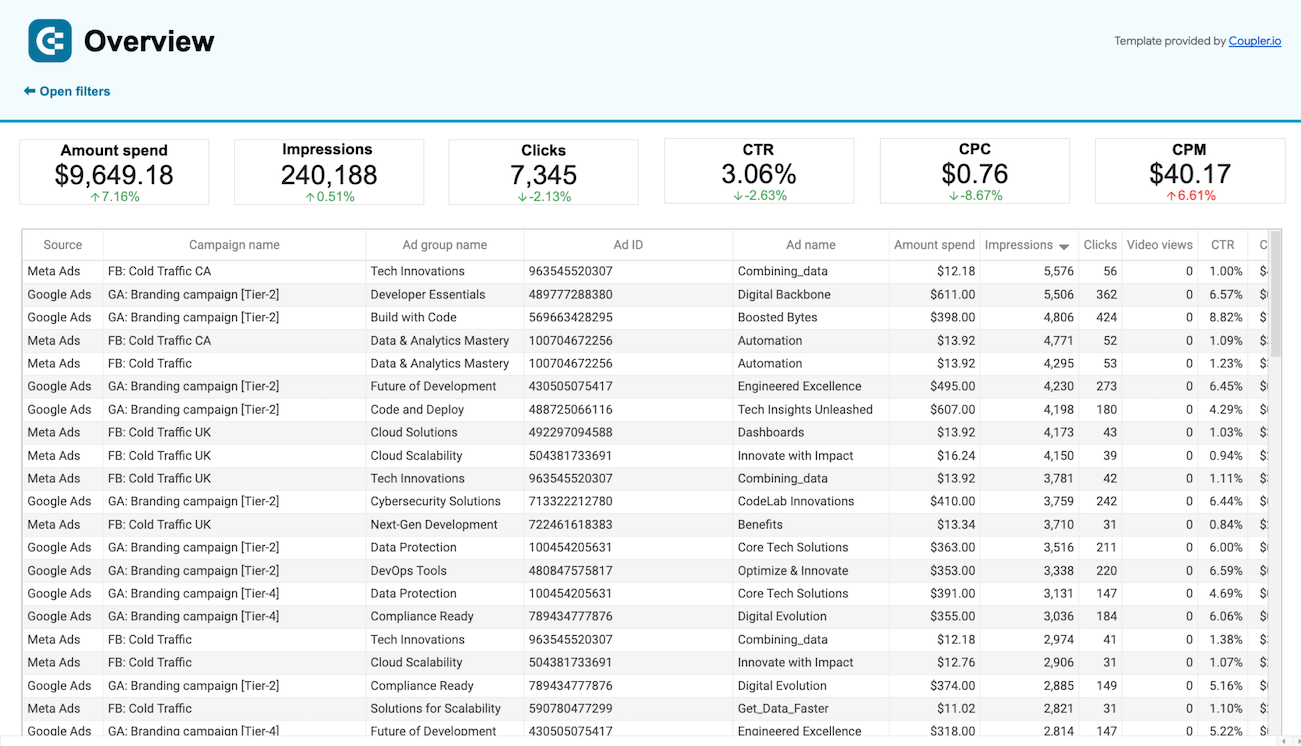
Google Ads dashboard
Google Ads icon arrow icon Google Sheets icon
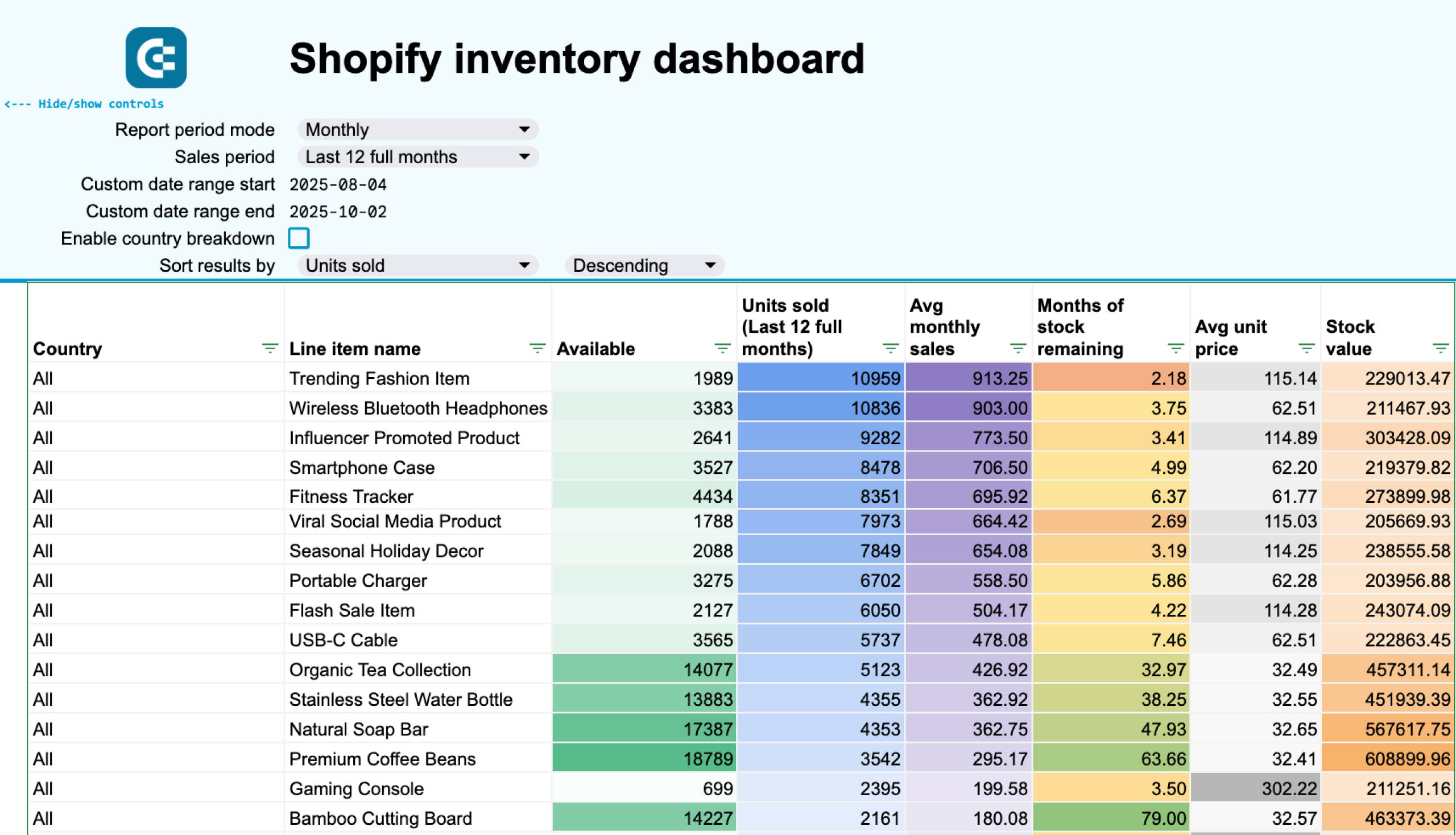
Shopify inventory dashboard image
Shopify inventory dashboard
Shopify icon arrow icon Google Sheets icon
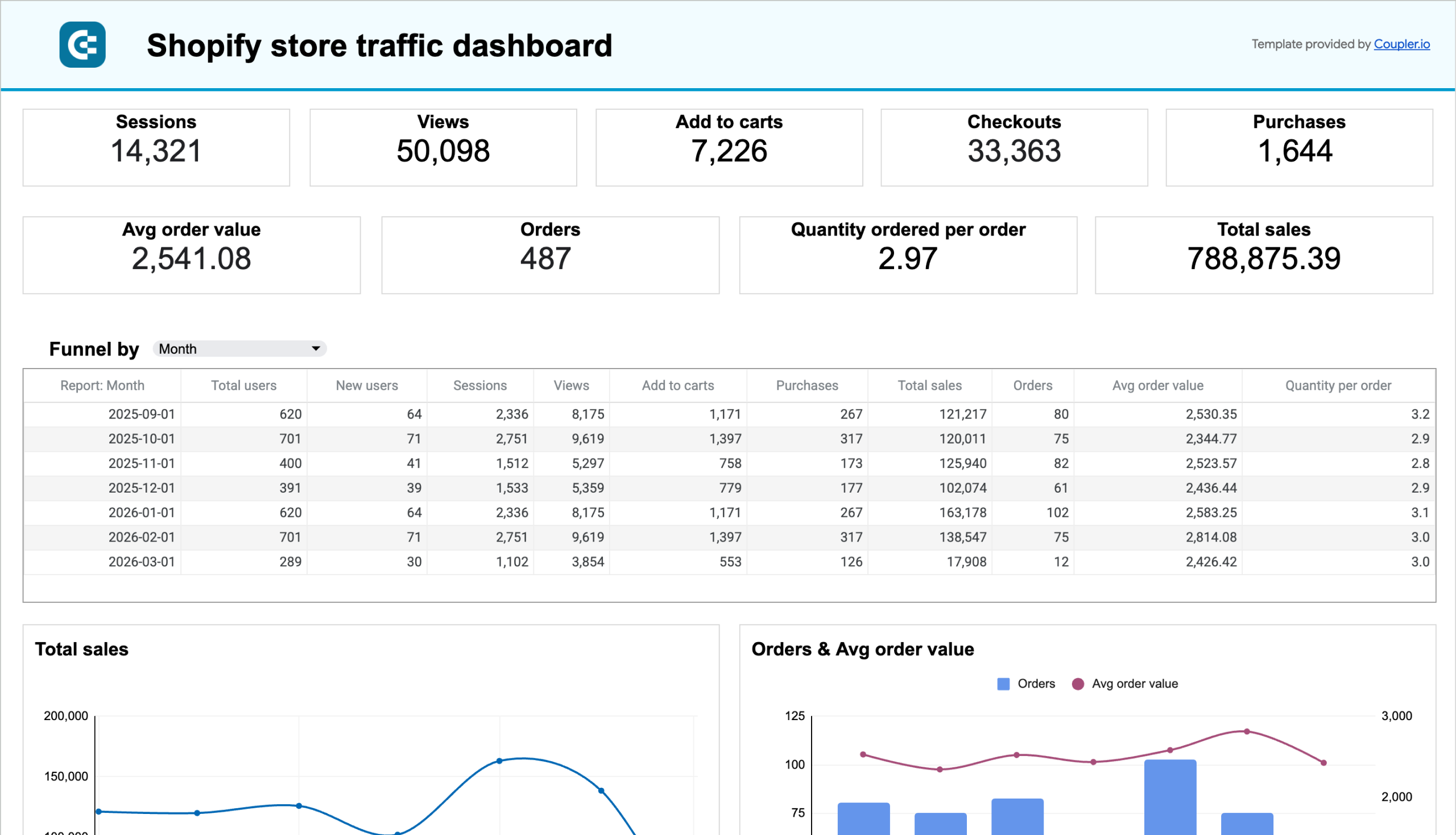
Shopify store traffic dashboard image
Shopify store traffic dashboard
Google Analytics 4 (GA4) icon Shopify icon arrow icon Google Sheets icon
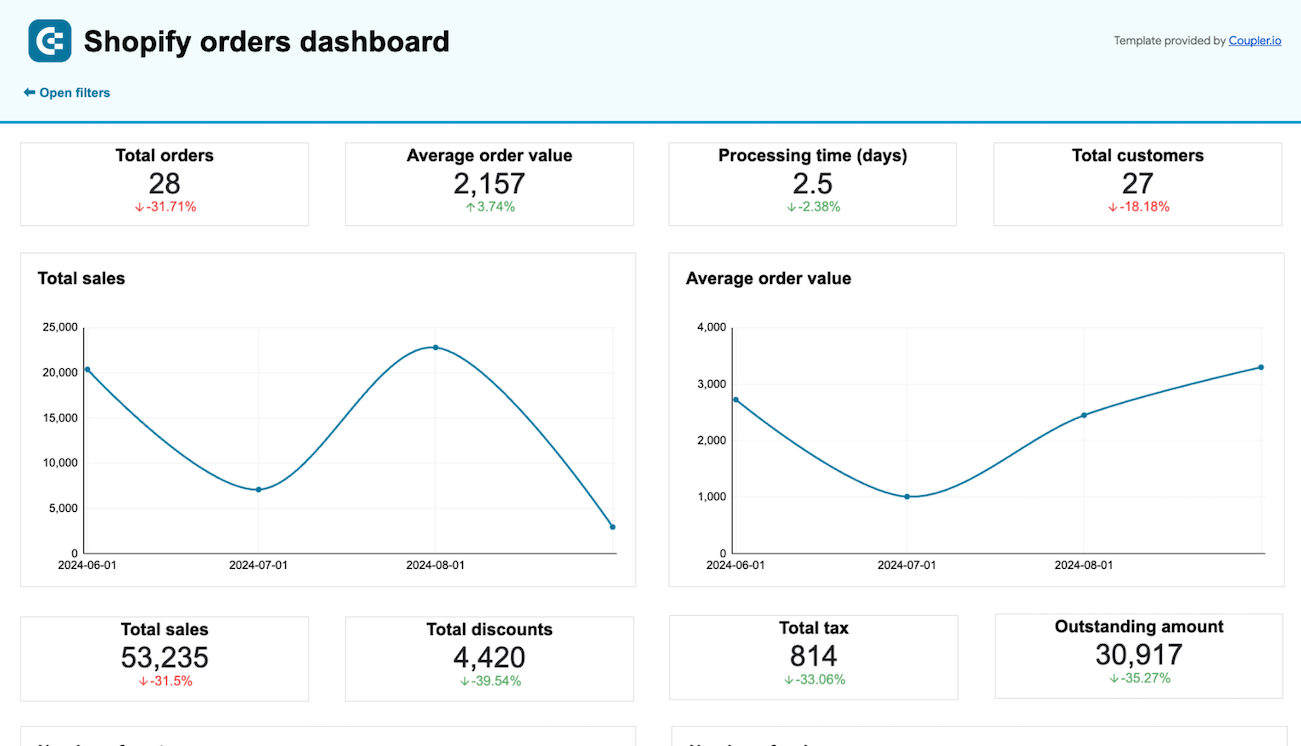
Shopify orders dashboard image
Shopify orders dashboard
Shopify icon arrow icon Google Sheets icon
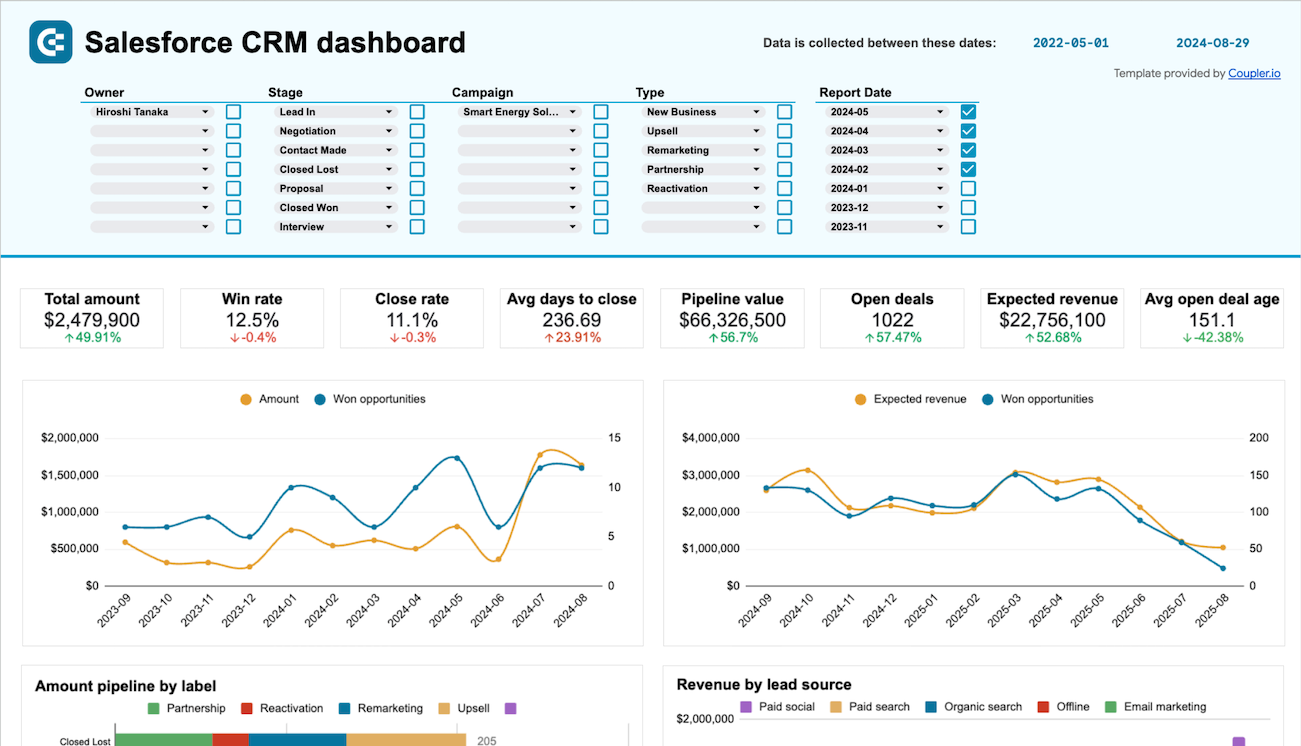
Salesforce CRM dashboard image
Salesforce CRM dashboard
Salesforce icon arrow icon Google Sheets icon
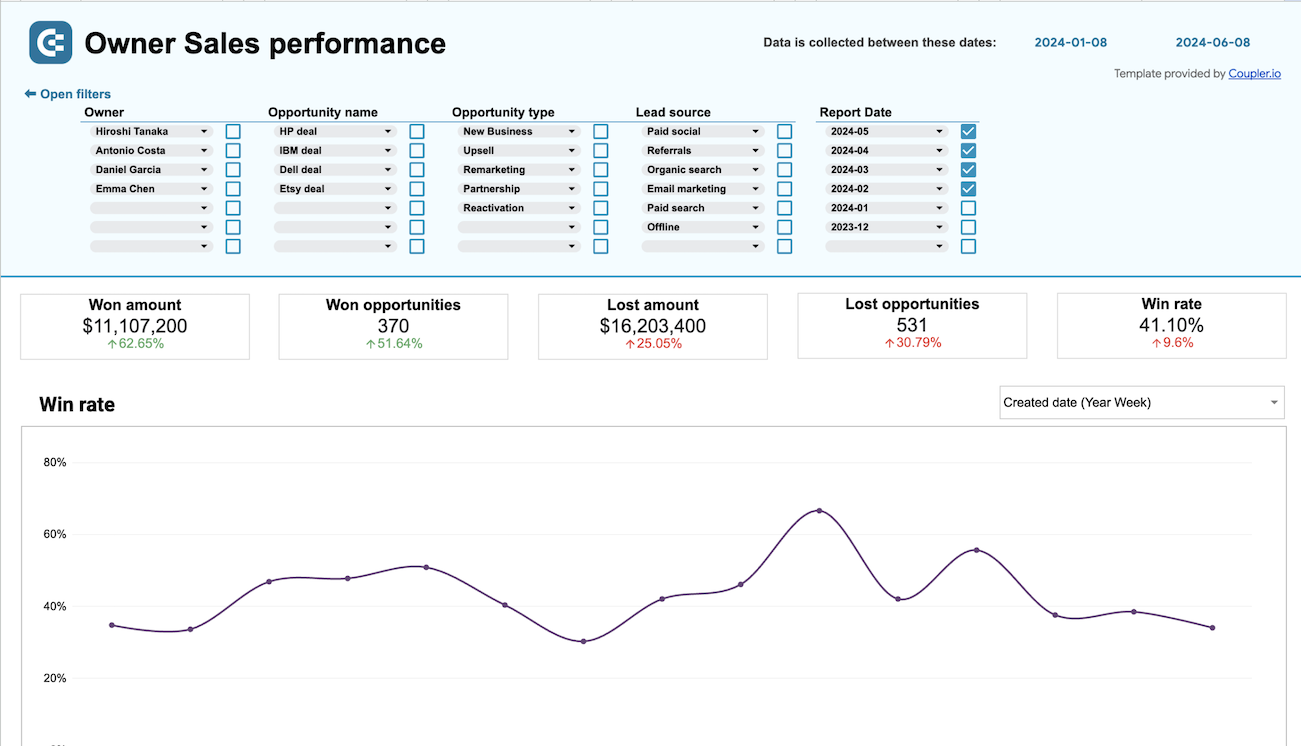
Sales team performance dashboard for Salesforce image
Sales team performance dashboard for Salesforce
Salesforce icon arrow icon Google Sheets icon
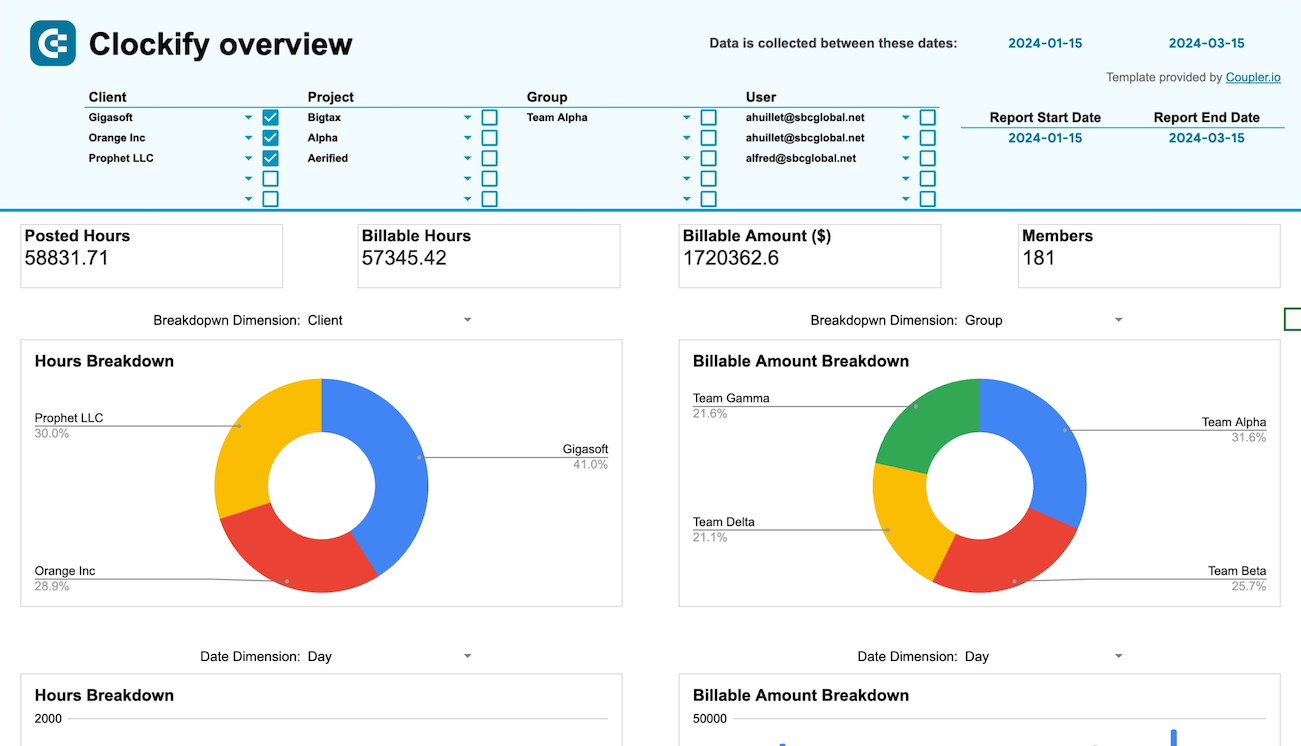
Time tracking dashboard for Clockify image
Time tracking dashboard for Clockify
Clockify icon arrow icon Google Sheets icon
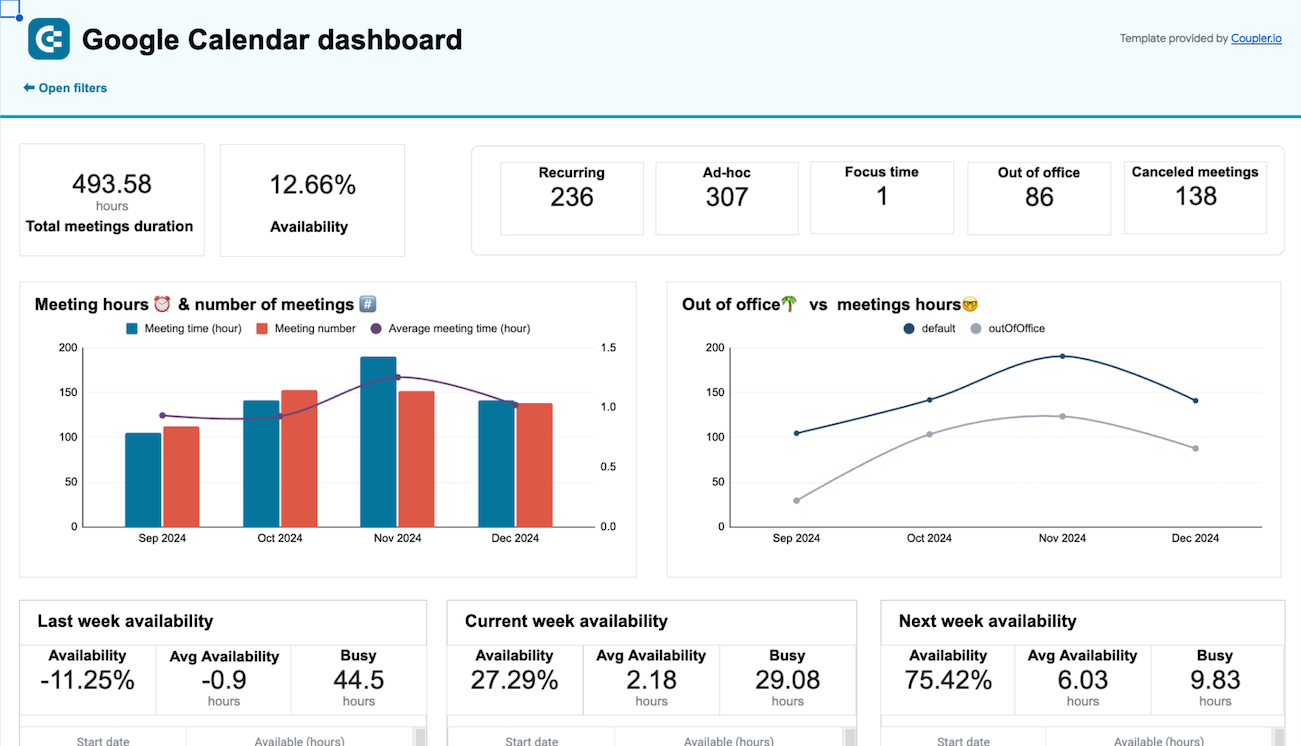
Google Calendar availability & meeting hours dashboard image
Google Calendar availability & meeting hours dashboard
Google Calendar icon arrow icon Google Sheets icon
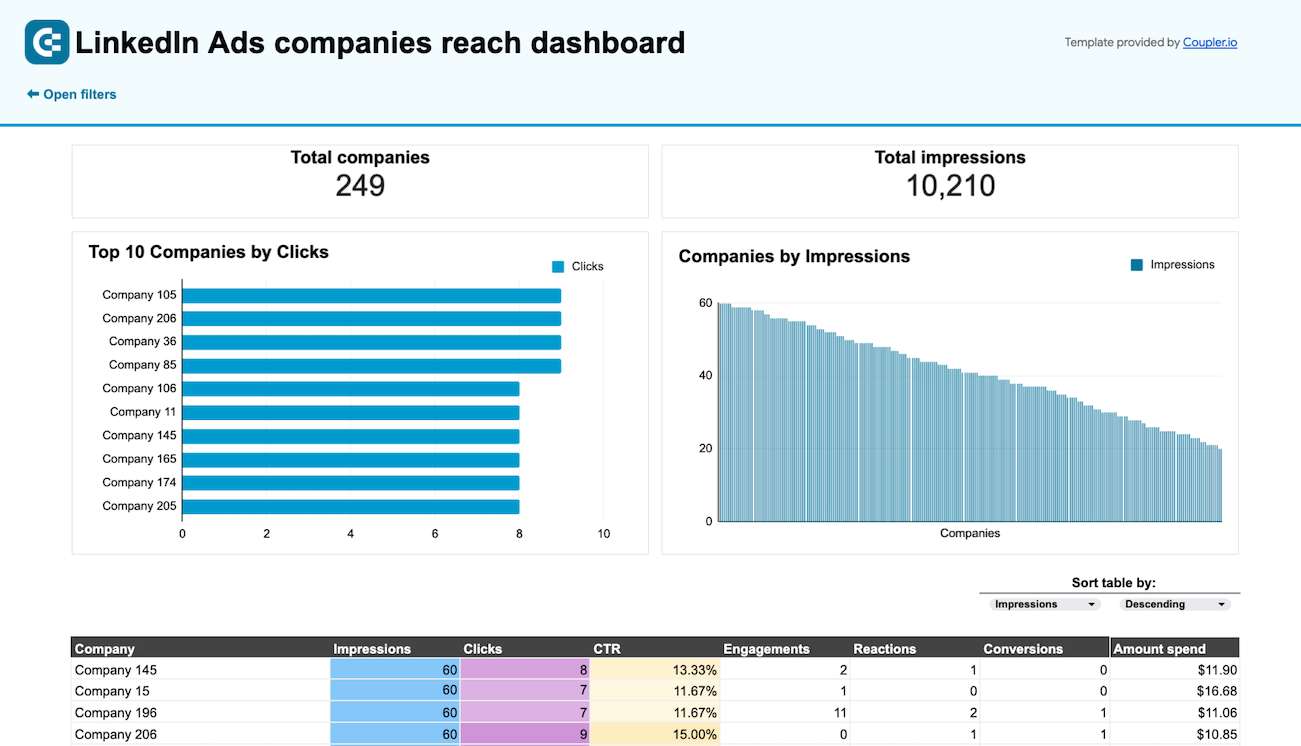
LinkedIn Ads companies reach dashboard image
LinkedIn Ads companies reach dashboard
LinkedIn Ads icon arrow icon Google Sheets icon
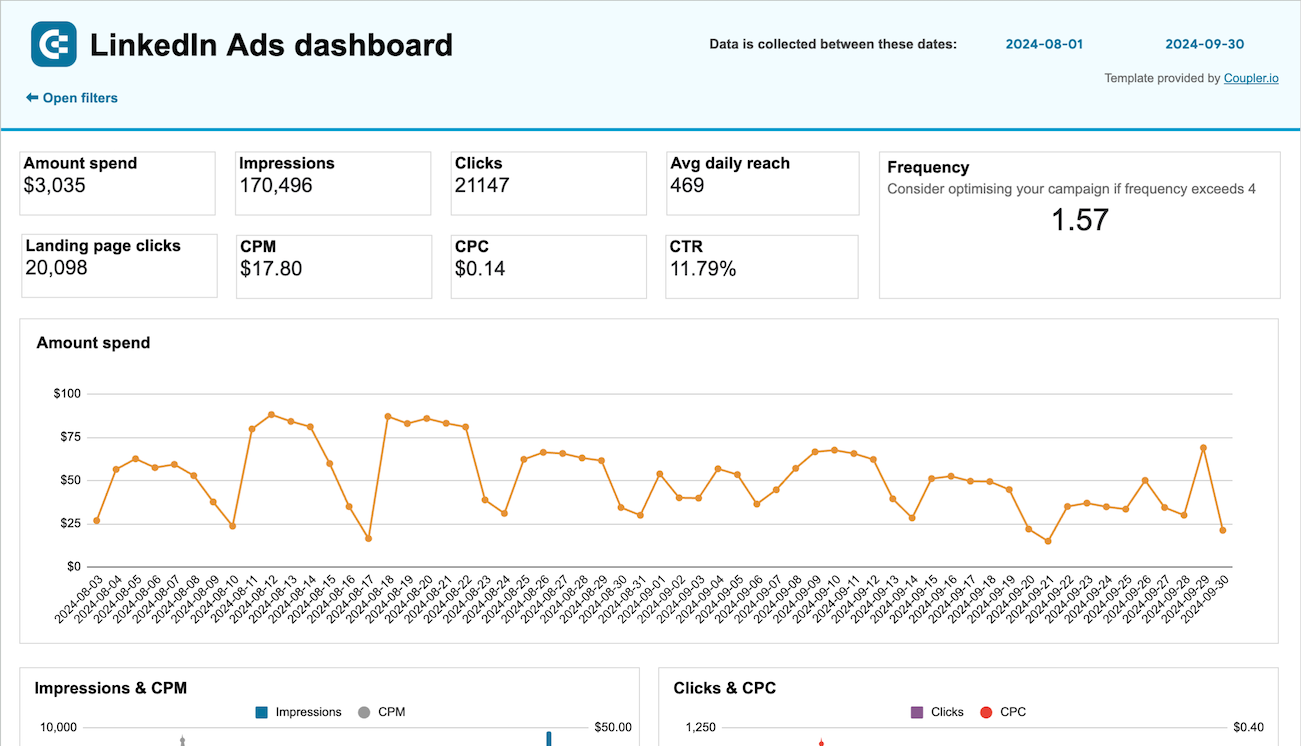
LinkedIn Ads dashboard image
LinkedIn Ads dashboard
LinkedIn Ads icon arrow icon Google Sheets icon
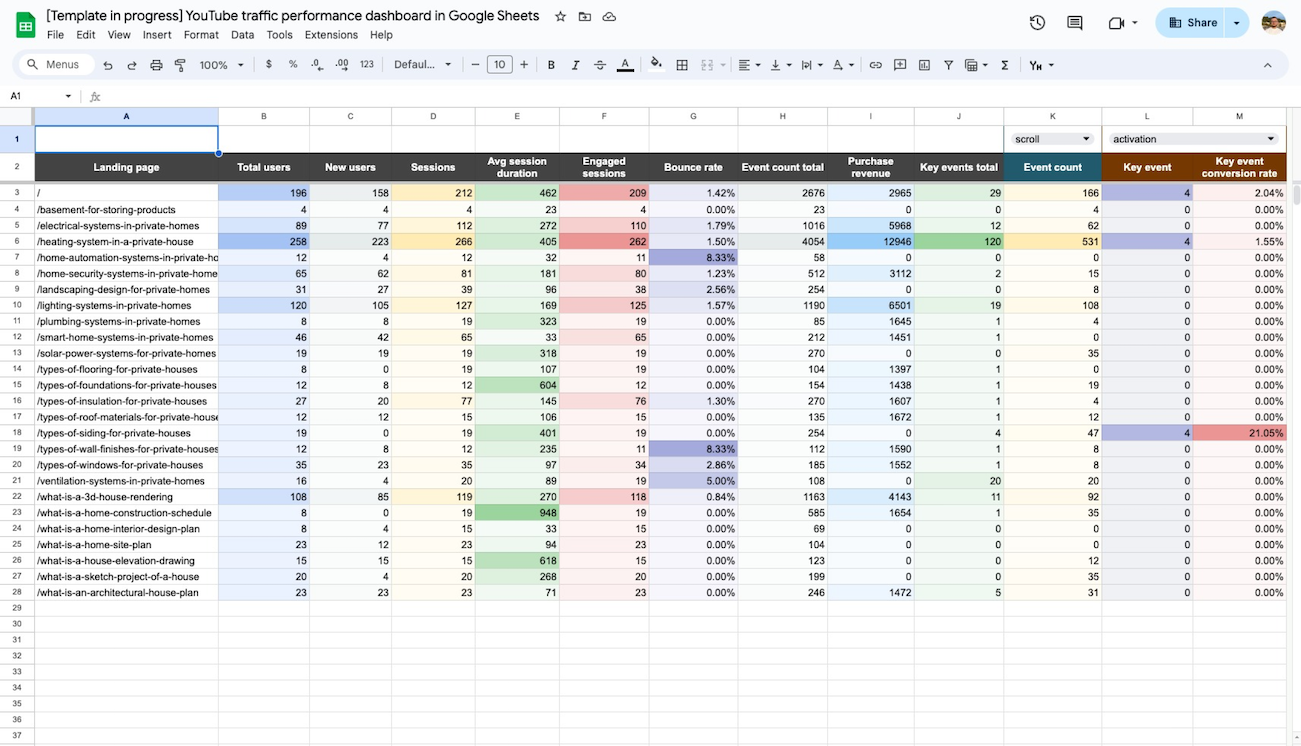
Website traffic from YouTube - performance analysis dashboard image
Website traffic from YouTube - performance analysis dashboard
Google Analytics 4 (GA4) icon arrow icon Google Sheets icon
Web analytics dashboard image
Web analytics dashboard
Google Analytics 4 (GA4) icon arrow icon Google Sheets icon
No such template is available yet.
No worries. Our team will create a template that fits your needs, just tell us more
about your case. It doesn't cost you a penny 😉
Request a custom report

Choose your white label Google Sheets reporting dashboards to kick off

What is a Google Sheets dashboard?

A Google Sheets dashboard leverages the familiar spreadsheet environment to display business metrics and KPIs through automated data connections. Unlike static spreadsheets that require manual updates, Google Sheets reporting dashboards pull information directly from platforms like Google Ads, Facebook Ads, Salesforce, QuickBooks, and Google Analytics. The result is a dynamic reporting solution that combines the accessibility of spreadsheets with the power of real-time business intelligence.

The familiar Google Sheets interface enables teams to analyze PPC performance, track sales pipelines, monitor financial health, and measure website performance. No need to switch between multiple applications - everything is by hand in one Google Sheets reporting dashboard. Advanced data connections through Coupler.io enable automatic refresh schedules, ensuring your reports reflect the latest business metrics. This approach combines the collaborative features and accessibility of Google Sheets with enterprise-level data integration capabilities.
dashboard-image image

What reports can you use in Google Sheets dashboards?

Creating effective Google Sheets dashboards requires selecting reports that align with your specific business objectives and operational needs. Based on the analysis of successful implementations across various industries, we recommend incorporating these four core report categories that provide comprehensive business visibility.

Advertising & PPC analytics reports

Advertising performance tracking forms the foundation of digital marketing success, requiring visibility into spend allocation, campaign effectiveness, and budget utilization across multiple platforms. These reports consolidate data from Google Ads, Facebook Ads, LinkedIn Ads, and other advertising channels to show impression trends, click performance, cost per acquisition metrics, and conversion tracking. Multi-channel creative performance analysis reveals which ad variations drive the best results, while budget forecasting reports help predict future spending needs and prevent budget overruns. Campaign-level breakdowns enable marketers to identify top-performing initiatives and reallocate resources for maximum return on investment.

SEO & website analytics reports

Website performance monitoring requires comprehensive tracking of organic search visibility, user behavior patterns, and traffic source attribution to optimize digital presence effectively. Our Google Sheets dashboard templates contain these reports, including technical SEO analysis showing page indexing status, crawl errors, and site health indicators that impact search rankings. Landing page performance tracking reveals which pages convert visitors most effectively, while referral traffic analysis identifies valuable external sources driving qualified visitors. AI traffic monitoring captures emerging search patterns from artificial intelligence tools, providing insights into how modern search behavior affects website visibility and user acquisition strategies.

Financial & accounting analytics reports

Financial visibility drives strategic decision-making, requiring real-time access to revenue trends, cash flow positions, and account management data from accounting platforms like QuickBooks and Xero. Revenue tracking reports show income patterns across different time periods, customer segments, and product categories to identify growth opportunities and seasonal variations. Accounts receivable management displays outstanding customer payments with aging analysis to prioritize collection efforts and maintain healthy cash flow. Accounts payable tracking monitors vendor obligations and payment schedules to optimize working capital management while maintaining strong supplier relationships through timely payments.

Sales & CRM analytics reports

Sales performance optimization depends on detailed pipeline analysis, team productivity tracking, and customer relationship management data that connects marketing efforts to revenue outcomes. CRM dashboards show deal progression through various pipeline stages, helping sales managers identify bottlenecks and coach team members for improved conversion rates. Sales team performance reports compare individual contributor metrics including deal volume, win rates, and revenue generation to recognize top performers and address training needs. Customer acquisition analysis tracks lead sources and conversion pathways, enabling sales and marketing alignment for more effective prospect targeting and nurturing strategies.

What insights you can get with the Google Sheets reporting dashboard

Budget tracking and spending predictions
google-sheets-dashboard-1.png
Find this insight in the Advertising Budget Forecast Dashboard.

The advertising budget forecast dashboard provides real-time visibility into your advertising spend across multiple platforms with predictive analytics that help prevent budget overruns. Track allocated budgets versus actual spending with color-coded alerts that immediately flag when campaigns are on track to exceed their monthly allocations. Daily spending rates and projected total spend calculations enable proactive budget management, allowing marketing teams to pause or adjust campaigns before overspending occurs. This insight is crucial for maintaining advertising ROI and ensuring marketing investments align with business objectives.

Landing page conversion optimization
google-sheets-dashboard-2.png
Find this insight in the Landing Page Performance Dashboard.

The landing page performance dashboard combines Google Search Console and Google Analytics data to show how effectively your pages drive traffic, engage visitors, and convert them into customers. Monitor key performance metrics including impressions, clicks, average position, total users, sessions, bounce rate, and conversion events for each landing page. Identify high-traffic pages with low conversion rates to investigate potential user experience issues or content alignment problems. This comprehensive view enables data-driven optimization of your most valuable web properties for improved business outcomes.

Revenue tracking and customer analysis
google-sheets-dashboard-3.png
Find this insight in the Revenue Dashboard for Xero.

The revenue dashboard for Xero provides comprehensive income monitoring with detailed breakdowns by customers and products over 12-month periods to identify seasonal patterns and growth opportunities. Track overall revenue trends while analyzing which customers contribute most to your business success through targeted revenue contribution analysis. Product performance insights reveal your highest-generating offerings, enabling strategic inventory management and sales focus adjustments. This financial visibility supports better decision-making around customer retention strategies and product development priorities.

Sales team performance comparison
google-sheets-dashboard-4.png
Find this insight in the Sales Team Performance Dashboard for Salesforce.

The sales team performance dashboard for Salesforce enables detailed analysis of individual team member effectiveness through win rates, deal volumes, and revenue generation metrics. Compare performance across different deal types, geographic regions, and customer segments to identify patterns that contribute to sales success. Monitor team member specializations and allocate high-value opportunities to your most effective sales representatives based on historical performance data. This insight drives strategic team management decisions and helps optimize sales resource allocation for maximum revenue impact.

Meeting time analysis and calendar optimization
google-sheets-dashboard-5.png
Find this insight in the Google Calendar Availability & Meeting Hours Dashboard.

The Google Calendar availability dashboard provides a comprehensive analysis of meeting patterns, time allocation, and schedule efficiency to help optimize productivity and work-life balance. Track total meeting hours, availability percentages, and meeting types across weekly periods to identify time management opportunities. Monitor busy versus available hours with detailed breakdowns by week, enabling better planning for important projects and focused work sessions. This insight helps professionals and managers make data-driven decisions about calendar management and meeting optimization for improved productivity.

How to use the Google Sheets dashboard template?

Step 1
1
Go to the ReadMe tab, where you can see instructions on how to set up the Google Sheets dashboard template.
Step 2
2
Click the button to set up the Coupler.io connector for your data sources.
Step 3
3
Follow the instructions to prepare and load data to the dashboard.
Step 4
4
Go back to Coupler.io to configure the schedule for the data refresh of your Google Sheets dashboard.
Steps Coupler.io image

Use predesigned Google Sheets dashboards for your reporting